You've got five judges, twelve contestants, and a room full of people waiting for results. Someone hands out paper scoring sheets. A judge misreads their own handwriting. Two people disagree on what "7 out of 10" means for the creativity category. You spend 20 minutes adding up totals at the back table while the audience checks their phones.
This happens at most judged competitions — science fairs, hackathons, pitch nights, talent shows, fitness competitions. The judging process undermines the event.

Here's how to run it properly.
Why Paper Scoring Fails at Scale
Paper works fine when you have two judges and three contestants. Beyond that, it creates real problems:
Score leakage. Judges talk. They compare notes between rounds. Once a judge sees a colleague's score, their own scoring shifts — often unconsciously. Independent judging stops being independent.
Transcription errors. Totaling 8 judges × 15 contestants × 4 criteria by hand, under time pressure, in a noisy room. The math will go wrong at least once. When it does, you either recount everything or announce results people don't trust.
No audience engagement. Paper scoring is invisible to everyone except the people behind the table. The audience sits and waits. The tension that makes competitions exciting — watching someone climb the rankings in the final round — disappears.
Disputes with no audit trail. If a contestant challenges their score after the event, you have nothing to show them except a crumpled sheet of paper.
The Core Principle: Independent Scoring
Before getting into tools, the principle matters: judges should score independently, without seeing each other's scores until all judging is complete.
This isn't just about fairness. It's about accuracy. A 2011 study on judicial decision-making found that anchoring bias — the tendency for estimates to be pulled toward an initial number you've seen — is significant even among trained evaluators. If judge 3 sees that judges 1 and 2 both gave 8/10, they're less likely to give a 5 even if they genuinely think the performance deserves it.
Good scoring systems make this automatic. Each judge sees only their own scorecard.
How to Set Up a Multi-Judge Scoring System
Score Judge is built specifically for this. Here's how a setup works:
Step 1: Create Your Competition
Go to scorejudge.com and create a new competition. Add: - Contestants — the teams, performers, or projects being scored - Judges — each gets a unique private link, no account required - Criteria — what you're scoring on (e.g., Innovation, Feasibility, Presentation) and the scale (1–10, 1–100, or whatever fits your event)
Setup takes about five minutes for a standard competition.
Step 2: Send Judges Their Links
Each judge gets a personal URL. They open it on their phone, tablet, or laptop — no app download, no login. The link takes them directly to their scorecard.

Judges score each contestant independently. They can't see other judges' scores. They can score in any order, go back and revise, and work at their own pace during the event.
Step 3: Display Live Results
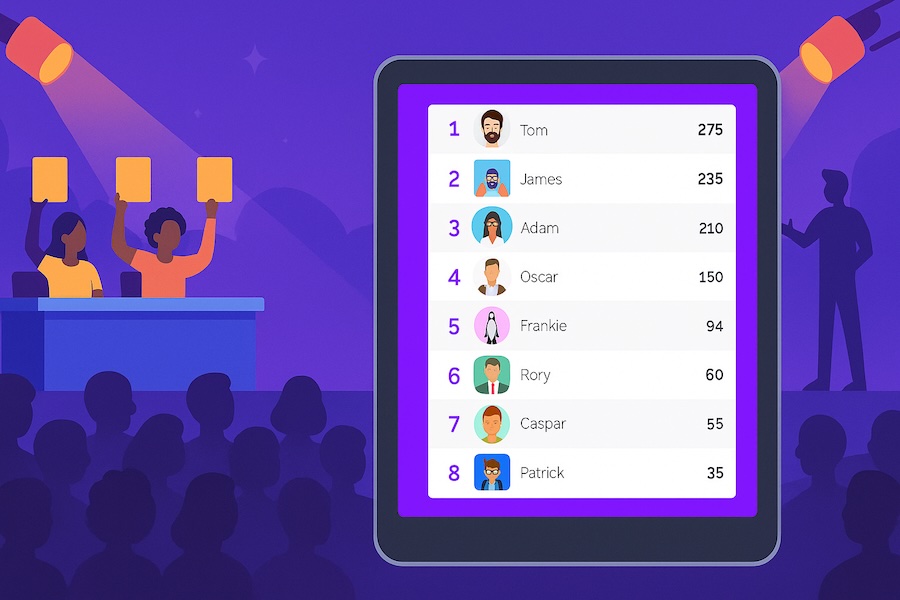
As judges submit scores, the aggregated results update in real time on a live leaderboard. You can display this on a projector or screen at the venue, share a link for remote viewers, or keep it private until judging is complete — your call.

The public display shows aggregated scores, not individual judge scores. Contestants and audiences see rankings and totals, not "Judge 2 gave you a 4."
Aggregation: How Scores Get Combined
Most competitions use one of three methods:
Simple average. Each criterion is averaged across all judges. Clean, easy to explain to contestants. Works well when you trust your judges to be consistent.
Drop high/low, average the rest. Classic approach from gymnastics and figure skating. Reduces the impact of an outlier judge — intentional or not. Olympic gymnastics scoring uses this format. Worth considering when judges have unequal expertise across categories.
Weighted criteria. Some criteria count more than others. A pitch competition might weight "Market Opportunity" at 40% and "Presentation Skills" at 20%. Score Judge supports custom weights per criterion.
Pick the method before the event and communicate it clearly to contestants. Changing the aggregation method after scores are in creates legitimate complaints.
When to Show Results: During vs. After Judging
There's a real tradeoff here.
Showing live results during judging creates energy. Audiences watch rankings shift. Late contestants know exactly what score they need to win. The tension is real. Events like Eurovision and cooking competitions use this format deliberately — the drama is the point.
The downside: later contestants have information that earlier contestants didn't. If contestant 12 knows they need an 8.5 average to win, they might adjust their approach or their judges might be influenced by knowing the bar. Whether this matters depends on your competition format.
Holding results until judging is complete is cleaner for academic or professional competitions where objectivity matters more than drama. Medical judging panels (the kind where 10+ doctors evaluate a procedure or case) use this approach — revealing rankings mid-competition would compromise the evaluation.
Both modes work. Just decide in advance.
Handling Specific Competition Types
Hackathons and Pitch Competitions
Multiple judges evaluating different projects in parallel works well with a roaming setup: judges move between booths, score each project on their phone as they go. No waiting for everyone to finish before moving to the next. Scores aggregate automatically as judges submit.
For demo day formats (everyone presents on stage), a simultaneous approach works better — all judges score during the same presentation window.
Talent Shows and Performing Arts
Criteria like "Stage Presence" and "Technical Skill" benefit from a wider scale (1–100 rather than 1–10), which gives judges more room to differentiate performances. A 1–10 scale compresses into 3–7 for most judges, which loses resolution at the top end.
If you have celebrity or non-expert judges alongside professional ones, consider weighted scoring where expert judges carry more weight — or separate the categories so each judge scores within their area of expertise.
Fitness Competitions
Fitness events typically combine objective scores (time, weight lifted, reps) with judge-assessed scores (form, technique). Track both in the same system: import the objective times directly, and have judges score the subjective criteria separately. The leaderboard combines them.
If you're running multiple divisions (RX'd, Intermediate, Rookie), create separate competitions for each division rather than trying to combine them with adjustments — the rankings stay cleaner and results are easier to explain.
Science Fairs and Academic Contests
Multiple judges often evaluate different projects simultaneously, then scores need to be normalized — a judge who evaluates 5 projects may score differently than one who evaluates 15. For large-scale science fairs, consider Swiss-system pairing methods that account for judge variability. For smaller events, a simple average across judges is usually sufficient.
Export the full scoring data (available as CSV from Score Judge) and review it before announcing results. Outlier scores from a single judge stand out immediately in a spreadsheet.
What to Tell Your Judges Before the Event
Judges score better when they have clear instructions. Three things to communicate:
-
The scale and what it means. "5 is average for this type of competition, not 'bad.' A 10 means this is the best you've seen at this level." Without calibration, judges anchor to their own frame of reference, which varies wildly.
-
Independence is the rule. "Don't discuss scores during the competition." This isn't bureaucratic — it's what makes the results defensible.
-
Scoring criteria, not vibes. If "Innovation" is on the rubric, define it. "Does this solve a problem in a way that hasn't been done before" is scoreable. "Is this innovative" is not.
A 10-minute judge briefing before the competition starts saves 30 minutes of disputes after it ends.
After the Competition: Results and Transparency
Two things organizers often skip that are worth doing:
Share individual scores with contestants (privately). Not to publish them — to give contestants feedback. "You scored 7.2 on Feasibility and 8.8 on Presentation" is actionable. A trophy without feedback is just decoration.
Keep the export. Download the full results CSV. If a contestant disputes their score a week later, you have the full audit trail. Score Judge exports all criteria, all judges, all timestamps.
Frequently Asked Questions
How many judges do I need?
Three is the minimum for a credible judged competition. With fewer, a single outlier score has too much impact. Five to seven is the sweet spot for most competitions — enough diversity of perspective, manageable to coordinate. Beyond ten, coordination overhead starts to outweigh the benefits unless you're running a large-scale event with structured judge panels.
Can judges score from home?
Yes. Judges need only their personal link. For virtual competitions or events where judges can't be in the room, remote scoring works exactly the same — they open the link on any device and submit scores. The organizer sees a real-time progress tracker showing which judges have completed each contestant.
What if a judge scores out of range or makes an obvious error?
As the organizer, you have full visibility into all scores and can flag or override individual scores before results are published. The audit trail shows when each score was submitted and by whom.
Is there a free tier?
Yes. You can run a competition with up to 3 judges for free at scorejudge.com. Larger judge panels and custom branding require a paid plan.
If you're running a purely points-based competition (flag capture, trivia rounds, speed runs) rather than a judged event, a standard leaderboard is the better fit — see the CTF leaderboard guide or the trivia night setup guide.