Definition
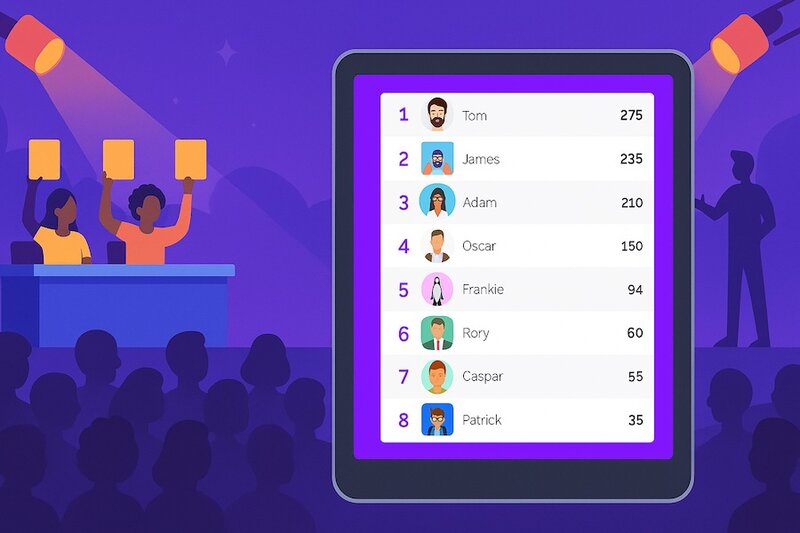
Judging software is a tool that lets multiple judges score contestants against shared criteria and aggregates those scores into a transparent, automatically calculated ranking. It replaces paper scorecards and spreadsheets with a real-time scoring interface for the panel and a live leaderboard for organizers and the audience.
Every competition needs three things: contestants, judges, and a way to combine the judges' opinions into a single ranking. Judging software handles the second and third parts. Judges score on their own devices, the software does the math, and the result is a defensible standings list that nobody had to tally by hand.
The category covers everything from a small classroom talent show with three teachers as judges, all the way up to multi-day pitch competitions with multiple criteria and a live audience watching the scoreboard fill in.
Types of judging software
Not all judging tools work the same way. The right category depends on the kind of competition you're running, the size of the panel, and whether the audience gets a vote.
Live event judging software
Built for events that happen in real time: hackathons, talent shows, pitch competitions, science fairs, and cooking contests. Judges score contestants as they perform or present, and the leaderboard updates instantly. This is the most common category and the focus of this guide.
Examples: hackathon final demos, school talent shows, startup demo days, dance competitions, food contests.
Award management platforms
Heavyweight tools designed for industry awards with long submission windows. Contestants upload entries weeks in advance, judges review asynchronously, and finalists are selected over multiple rounds. These platforms add submission management, payment processing, and entrant communication on top of the scoring layer. Often overkill for live events.
Examples: design awards, journalism prizes, industry recognition programs.
Audience response systems
The audience scores or votes alongside (or instead of) a judge panel. Each audience member uses their phone to submit a rating or vote. Useful when you want crowd participation to drive part of the result, like the public vote on a singing competition.
Examples: live music competitions, audience-choice awards, conference presentation contests.
Ranked-voting / Eurovision-style tools
Each judge ranks contestants in order of preference (1st, 2nd, 3rd…) and the tool converts those ranks into points (12, 10, 8, 7, 6…). Used wherever judges need to express a complete ordering, not just independent scores.
Examples: Eurovision watch parties, song contests, ranked-choice award shows.
Sport-specific scoring tools
Niche tools built for a single sport's scoring rules: figure skating, gymnastics, diving, debate. They typically encode specific federation rules (drop highest and lowest, apply difficulty multipliers) and are not useful outside their sport.
Examples: figure skating ISU scoring, gymnastics code-of-points calculators, debate ballot tools.
How judging software works
Most judging tools follow the same four-stage flow, regardless of category.
1. The organizer sets up the competition
The organizer creates the event, adds the contestants (or pitches, or songs, or hackathon teams), and defines the scoring criteria. A typical setup looks like:
- Originality — 0 to 10
- Execution — 0 to 10
- Impact — 0 to 10
Some criteria carry more weight than others. A pitch competition might make "market opportunity" worth more points than "team". Good judging software lets you give each criterion its own maximum so that the math reflects what actually matters.
2. Judges score on their own devices
Each judge gets a private link or login. They open it on a phone, tablet, or laptop and see one contestant at a time with the criteria laid out as sliders, number inputs, or stars. They score, hit submit, and move to the next contestant. No app install, no shared paper scorecards, no clipboard.
3. The software aggregates and ranks
As scores come in, the software combines them according to the rules — usually a sum or an average across the judges. The leaderboard recalculates instantly and shows the current standings. Most tools also show how many judges have submitted so the organizer knows who they're still waiting for.
4. The audience watches a live leaderboard
Display the leaderboard full-screen on a TV, projector, or browser source in OBS. As each judge submits, the rankings shift live. This visibility is the difference between a competition that feels exciting and a competition that ends with a printed PDF nobody trusts.
Use cases for judging software
Anywhere a panel needs to score contestants and produce a ranking, judging software earns its place. The category is broader than most people realize.
Hackathons and demo days
Hackathons are the canonical use case: a panel of mentors and investors scores teams on technical merit, originality, and presentation. Judges score independently from their own laptops, and organizers display the leaderboard during awards.
Pitch competitions
Startup demo days, accelerator graduations, and investor showcases all need a defensible ranking across multiple criteria. Pitch competition judging software handles the per-criterion scoring (market, team, traction, product) that pitch contests require.

Talent shows and school competitions
From school talent shows to corporate variety nights, judging software replaces paper ballots and gives the host a live leaderboard for the reveal moment. Even a panel of three judges scoring six acts adds up to enough math to ruin a tally by hand.
Science fairs and academic competitions
Science fairs typically have ten or more judges rotating between projects. The software centralizes scores, prevents lost paper ballots, and produces an instant ranking once the last judge submits.
Audience and ranked voting events
Eurovision parties, reality-show watch nights, and song contests use ranked-voting tools where each viewer assigns 12, 10, 8… points to their favorites. This is its own sub-category but lives within the broader judging-software umbrella.
Cooking, baking, and food competitions
Chili cook-offs, bake sales, and recipe contests rely on multi-criteria scoring (taste, presentation, originality). Tablets passed between judges work better than soggy paper scorecards in a kitchen.
Tryouts and auditions
Selection rather than placement: a panel of coaches scores the same thirty to eighty candidates on one rubric and the totals decide a roster. Cheer and dance team tryouts, colorguard auditions, and sports tryouts all run this way — see the tryout score sheets. The difference from a competition is what happens afterwards, since a tryout result has to be explainable to the parents of everyone who didn't make it.
Judging software vs. adjacent tools
"Judging software" overlaps with a few neighboring categories. The differences matter because picking the wrong tool wastes setup time and produces results you can't defend.
| Judging software | Polling tool | Spreadsheet | |
|---|---|---|---|
| Who scores | A panel of judges (and optionally the audience) | The audience or a single group | One person tallies everyone else's input |
| Score structure | Multi-criteria, per-criterion points, per contestant | Single answer or rating | Whatever you build — usually fragile formulas |
| Result | A ranked, defensible leaderboard | A vote count or chart | A workbook nobody else can edit safely |
| Live updates | Yes — leaderboard refreshes as judges submit | Yes — for the poll question | No — manual recalculation |
| Best for | Competitions with judges and a ranking | Audience opinion, quick votes | Two contestants, one judge, no audience |
The other common confusion is with award management platforms (think Judgify or OpenWater). Those are built for industry awards with weeks-long submission cycles and per-event pricing in the hundreds of dollars. For live events, a lightweight live-judging tool is faster to set up and an order of magnitude cheaper. See the best Judgify alternatives for a side-by-side breakdown.
What makes good judging software
Most judging tools cover the basics. The good ones get the details right.
- Fast judge onboarding. Judges should not have to create an account. A private link that opens straight to the scoring interface is the bar. Anything more friction loses judges five minutes before show time.
- Multi-criteria scoring with per-criterion points. Real competitions evaluate contestants on more than one axis. The tool needs to support multiple criteria and let the organizer give each its own maximum points.
- Live, public leaderboard. The leaderboard is the show. It needs to be displayable full-screen, update in real time, and be shareable via a link the audience can open on their own phones.
- Works on any device. Judges bring whatever device they own. The tool must work on phones, tablets, and laptops without an app install.
- Transparent math. Anyone questioning the result should be able to see how scores were combined. Hidden formulas erode trust.
- Honest pricing. Per-event fees in the hundreds of dollars push small events back to spreadsheets. A working free plan and predictable subscription pricing matter.
- No login wall for the audience. Spectators should be able to follow the leaderboard from a link without signing up.
How to create a judged competition with ScoreJudge
ScoreJudge is judging software built for live events. It runs in the browser, requires no installation, and lets you set up a multi-judge competition with a live audience leaderboard in a few minutes. Here is the full process.
Step 1: Create the competition
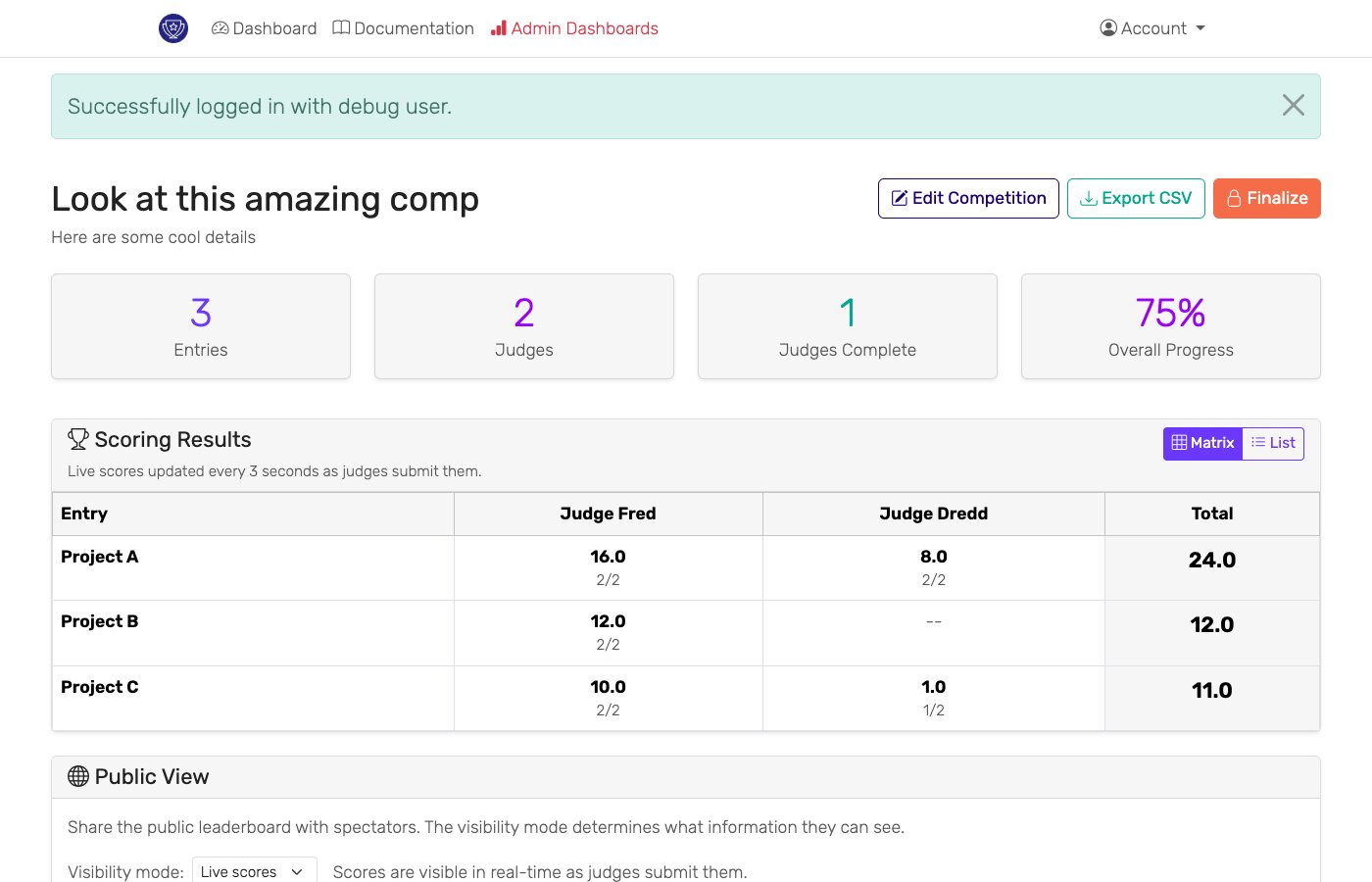
Start at scorejudge.com/competition/new. Pick a name, add the contestants (teams, performers, pitches, dishes — whatever you're judging), and decide how many judges will score them.
Step 2: Define the scoring criteria
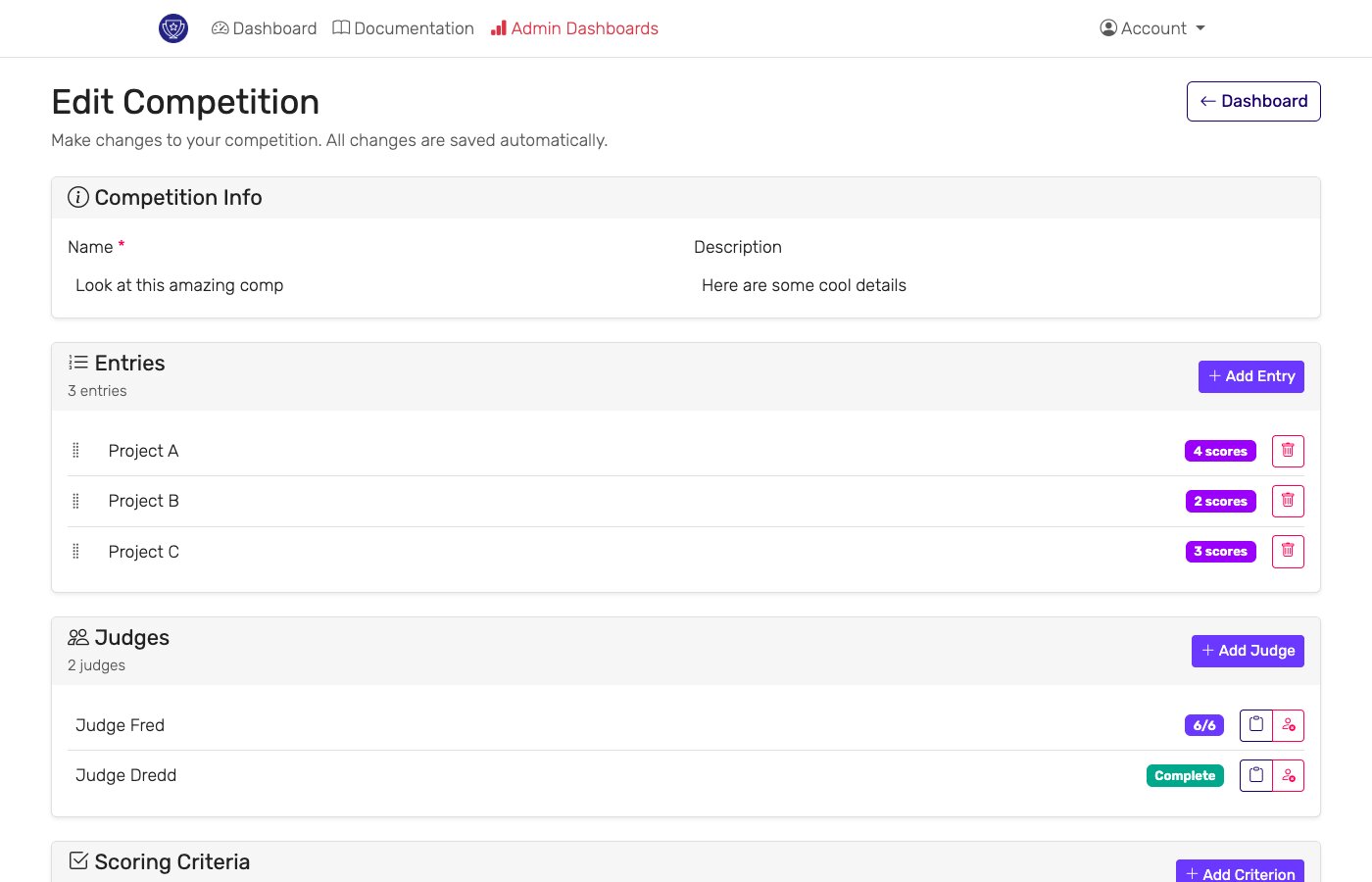
Add the criteria judges will score on (for a hackathon: originality, execution, impact; for a pitch competition: market, team, product, traction). For each criterion, choose its maximum points — give the criteria that matter most a higher maximum. ScoreJudge sums the scores automatically.
Step 3: Share private links with judges
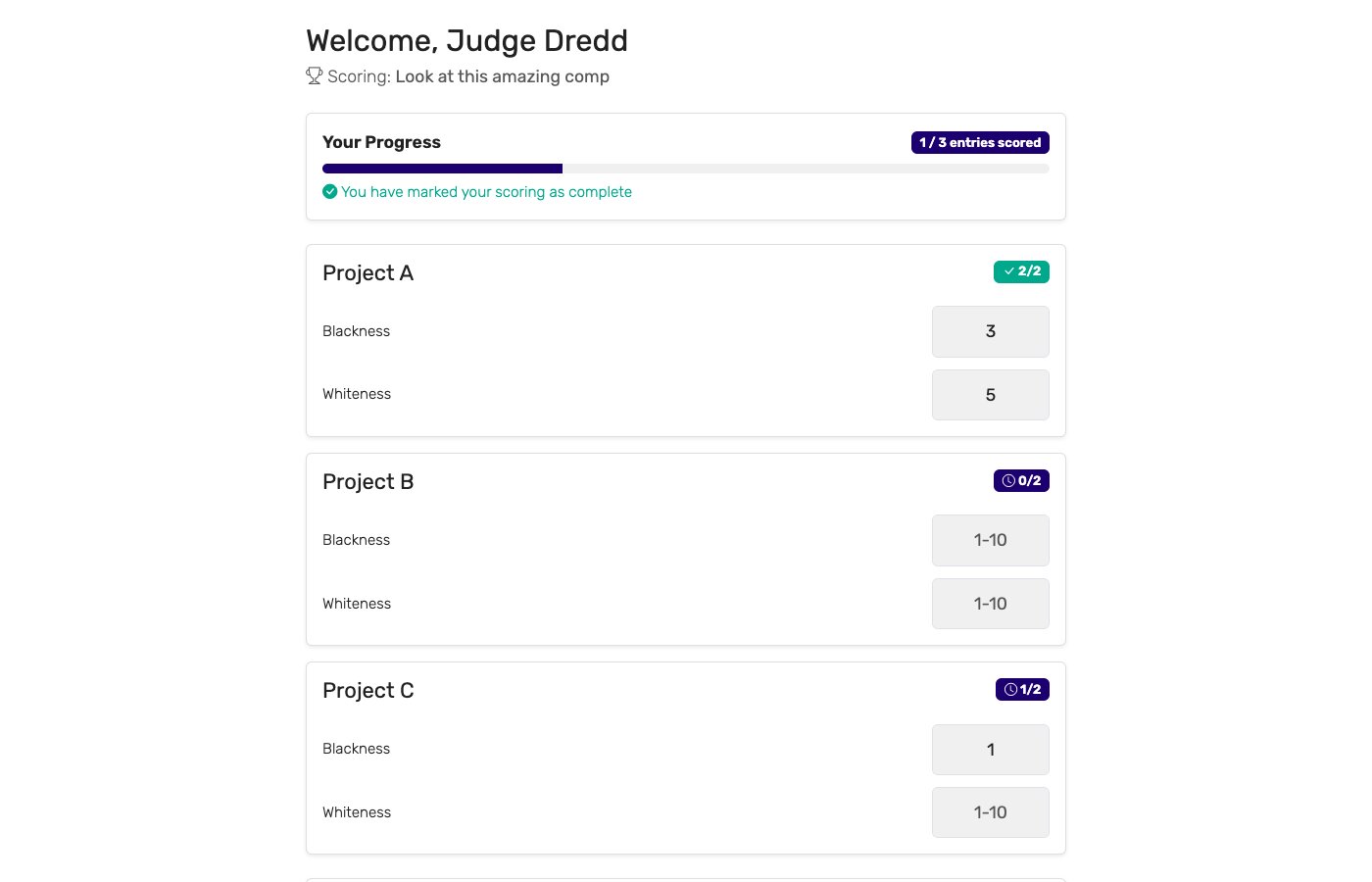
Each judge gets their own private link. Send it by email, Slack, or paste it into a shared doc. Judges open the link on whatever device they have — phone, tablet, or laptop — and see a clean scoring interface with one contestant at a time. No account creation, no app install.
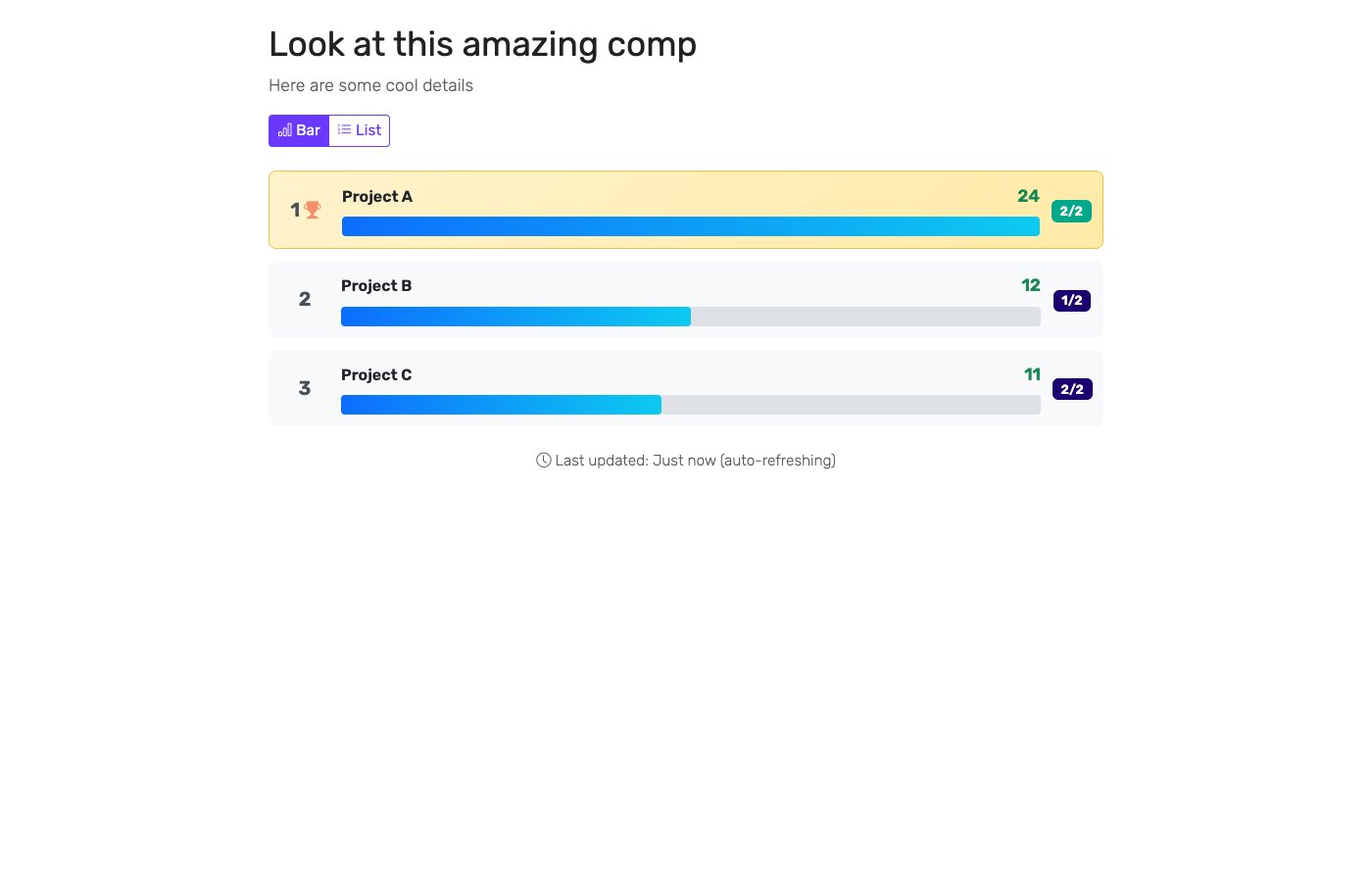
Step 4: Display the live leaderboard
Open the public leaderboard URL on a TV, projector, or laptop connected to the venue display. As judges submit scores, the leaderboard updates in real time. Anyone with the link can also follow along from their own phone — no login required.
Step 5: Announce the winners
Once the last judge submits, the leaderboard is final. ScoreJudge keeps the per-judge breakdown so you can defend any result if a contestant has questions. Export the scores as a spreadsheet for your records.
For a deeper look at fairness and judging best practices, see how to judge a competition fairly and our guide on running competitions with multiple judges.
Run your next judged competition with ScoreJudge
Set up a multi-judge competition with a live leaderboard in under five minutes. Free plan included — no per-event fees.
Frequently asked questions
What is judging software?
Judging software is a tool that lets multiple judges score contestants against shared criteria, then aggregates the scores into a transparent ranking. It replaces paper scorecards and spreadsheets with a real-time scoring interface for judges and a live leaderboard for organizers and audiences.
What are the different types of judging software?
The main categories are live event judging software (real-time scoring at hackathons, talent shows, and pitch competitions), award management platforms (long submission cycles for design and industry awards), audience response systems (the public votes alongside or instead of judges), and ranked-voting tools (Eurovision-style scorecards where each judge orders contestants). Most events need live judging software, not a heavyweight award platform.
How does judging software work?
The organizer defines the contestants and the scoring criteria (for example: originality 0–10, execution 0–10, impact 0–10). Each judge gets a private link, scores contestants on their phone or tablet, and submits. The software sums or averages the scores according to the rules and produces a live leaderboard that updates as judges vote.
What is the difference between judging software and a polling tool?
A polling tool collects single answers from a crowd (a vote, a multiple-choice answer, a rating). Judging software collects structured multi-criteria scores from a small panel of judges, applies scoring rules, and ranks contestants against each other. Polls are best for quick audience opinions; judging software is required when fairness, transparency, and a defensible final ranking matter.
Do I need judging software for a small event?
Even small competitions benefit. Three judges with paper scorecards and a calculator is slow and error-prone. Judging software removes the manual tally, prevents lost ballots, and lets the audience watch the leaderboard fill in. Tools like ScoreJudge include a free plan that handles small events end-to-end.
How do I create a judged competition online?
You can create a judged competition with ScoreJudge: define contestants, set up scoring criteria, share judge links, and display the live leaderboard on a screen during the event. Judges score from any device, the leaderboard updates in real time, and there is no software to install.