
What is talent show judging software?
Talent show judging software is a tool that lets a panel of judges score acts on shared criteria (vocals, performance, originality, stage presence) from their phones or tablets, and produces a live, transparent ranking. It replaces paper scorecards and back-room tally sheets with real-time scoring and a leaderboard the audience can follow on a screen.
Most talent shows still run on paper. Judges scribble scores on a scorecard, the host stalls while a volunteer adds them up, and the winner is announced ten minutes after the last act has bowed. It works, but it kills the moment.
Digital scoring fixes that. Judges score on a tablet between acts, the math happens automatically, and the leaderboard fills in live so the audience watches the standings shift. By the time the host walks back to the mic, the result is already on screen. For background on the broader category, see what is judging software.
How it works
Setting up a talent show with digital scoring takes about ten minutes — less time than printing the scorecards used to.
- Create the talent show Add the acts (singers, bands, dancers, comedians, magicians) and decide how many judges will score them. Three to five judges is typical for community and school events.
- Set up scoring criteria Add criteria like vocals, performance, originality, and stage presence. Give each criterion its own maximum so vocals can be worth more points than costume.
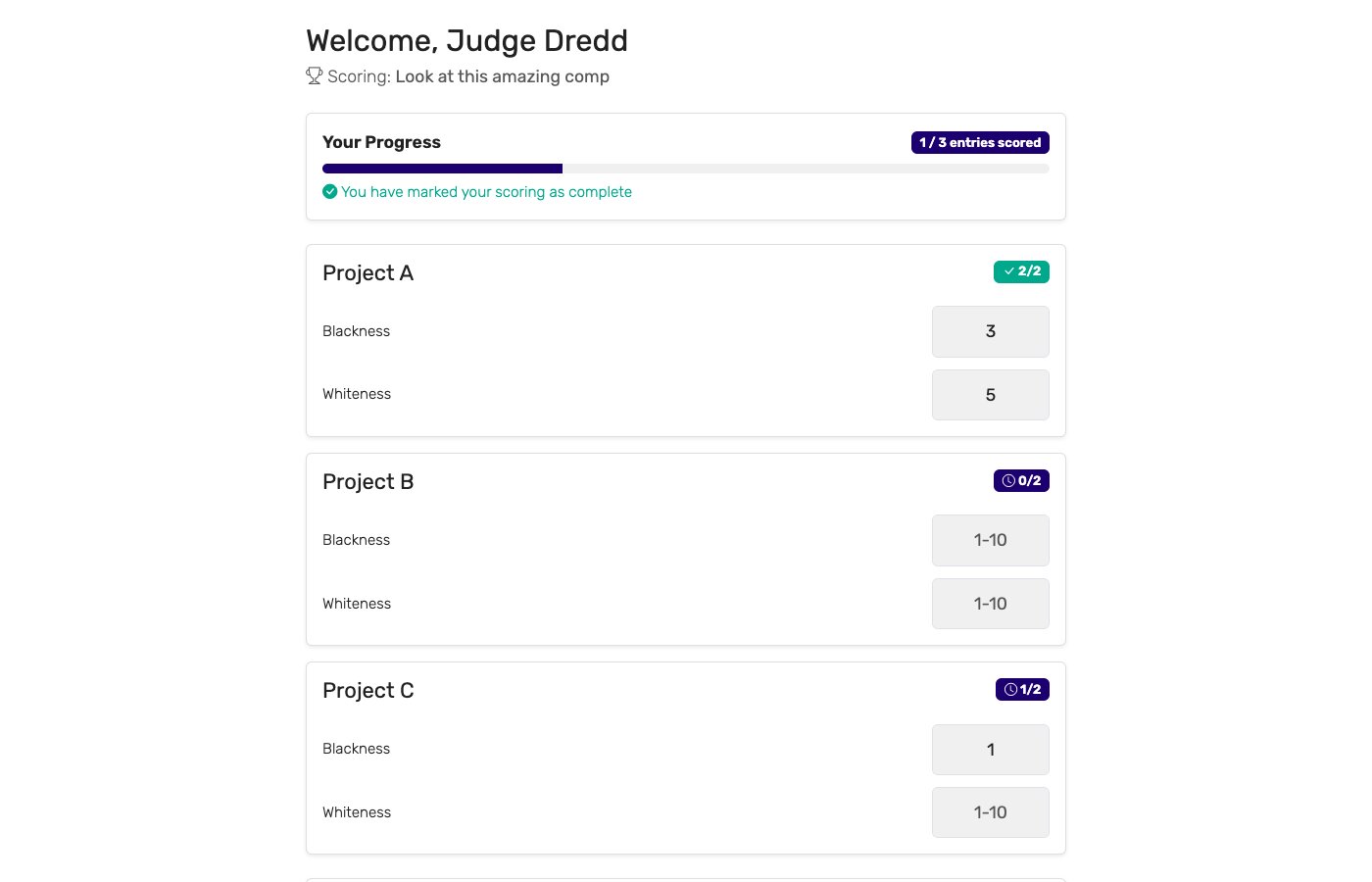
- Send judges their links Each judge gets a private link. They open it on a tablet or phone — no app install, no login. They see one act at a time with score inputs for each criterion.
- Score live during the show Judges score, hit submit, and move on. The leaderboard updates instantly. Optional: drop the highest and lowest score per act to reduce judge bias.
- Add audience voting (optional) Open a parallel audience-voting link so spectators can vote from their seats. Award both a "judges' choice" and a "people's choice" without doubling the work.
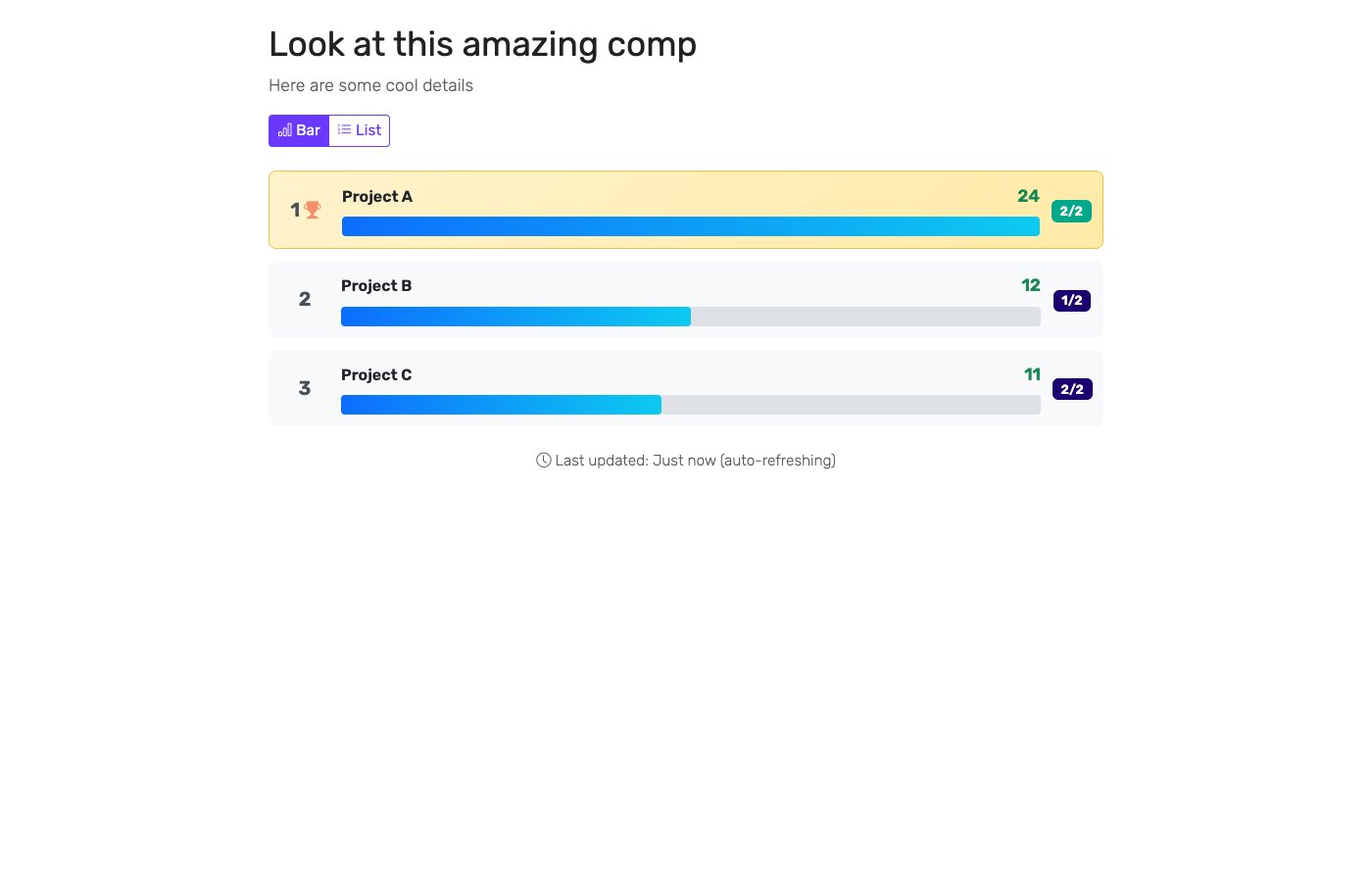
- Display the live leaderboard Open the public leaderboard URL on a TV, projector, or laptop hooked up to the venue display. The standings update live as each judge submits.
Key features to look for
Not every judging tool fits a talent show. The features that matter most:
Multi-criteria scoring
Judges score multiple criteria per act, not a single number. Vocals, performance, originality, and stage presence as separate inputs.
Per-criterion points
Vocals typically count more than costume. The tool should let each criterion carry its own maximum points so the math reflects what your show cares about.
Audience voting
Parallel audience voting on top of the judge panel. Award both a "judges' choice" and a "people's choice" without running two events.
Live public leaderboard
A URL that updates in real time, displayable full-screen on a venue TV or projector. The audience watches the rankings as the show unfolds.
Tablet-friendly judge interface
Big touch targets, score inputs that work with one thumb, no scrolling. Judges should be able to score an act in under thirty seconds between performances.
Per-judge breakdown
If anyone questions the result, you need to show how each judge scored. The tool should keep the per-judge detail and let you export it.
Who uses talent show judging software?
Talent shows happen everywhere. The tools earn their keep across the full range:
Schools and PTAs
School talent shows (elementary, middle, high school) and end-of-year showcases. Often run by teachers or PTA volunteers who do not have time for back-room tallying. A digital leaderboard turns the prize-giving into a moment instead of an awkward pause.
Workplaces and corporate events
Office talent shows, holiday parties, team-building events, and company-wide variety nights. HR and engagement teams use scoring tools to keep the contest fair, the audience engaged, and the winners decided before the next agenda item.
Community and church events
Town talent nights, summer camps, church showcases, and community center events. Volunteers run them, free plans cover them, and a public leaderboard works on a borrowed projector.
Universities and colleges
Campus talent competitions, fraternity/sorority showcases, dorm contests, and student union events. Student organizers like that there is no licensing budget required and judges do not have to install anything.
Online and hybrid talent shows
Submission-based talent shows where judges review video entries from home. Each judge gets a link, scores the videos at their own pace, and the leaderboard tallies as the panel finishes.
Digital scoring vs. paper scorecards
Most talent shows still run on paper. The two approaches compared:
| Capability | Digital scoring | Paper scorecards + spreadsheet |
|---|---|---|
| Tally time | ✓ Instant | 10–30 minutes after the last act |
| Live audience leaderboard | ✓ On the venue screen | ✗ Not possible |
| Audience voting | ✓ Parallel ballot from phones | Manual show-of-hands or applause meter |
| Math errors | ✓ None — software handles it | Common — tally mistakes happen under time pressure |
| Lost ballots | ✓ Impossible | Happens at every show |
| Drop high/low | ✓ Automatic | Manual recalculation per act |
| Setup time | ~10 minutes | Print, sort, distribute — an hour or more |
| Cost per event | Free plan covers small shows | Printing + clipboards + back-room scorers |
Paper still works for very small shows. As soon as you have more than three judges or more than ten acts, the back-room tally becomes the bottleneck — and the audience leaves before the winner is announced.
Talent show score sheet
If you are still working from paper, a clear score sheet is the starting point. It defines what each judge rates, how many points each thing is worth, and keeps the whole panel scoring the same acts on the same scale. Here is a simple points-based talent show score sheet you can copy for any singing, dance, or variety act:
| Category | What judges look for | Points |
|---|---|---|
| Skill / technique | Vocal accuracy, instrument control, dance precision, timing — the raw craft of the act. | 0–10 |
| Stage presence / performance | Confidence, energy, command of the stage, and how well the act holds the room. | 0–10 |
| Song or material choice | How well the song, routine, or material suits the performer and the audience. | 0–10 |
| Audience engagement | Crowd reaction, connection with the audience, and applause the act earns. | 0–10 |
| Overall impression | The complete package — polish, originality, and how memorable the act is. | 0–10 |
In ScoreJudge these five categories become scoring criteria that each judge fills in on their phone, one act at a time — so the score sheet totals itself and the leaderboard updates the moment a judge hits submit.
Why choose ScoreJudge for talent shows
ScoreJudge is competition judging software built for live events — and talent shows are its number-one use case. Set up your judging panel, criteria, and live leaderboard in about ten minutes. Free plan covers school and community events end-to-end.
What ScoreJudge is used for
Talent show organizers use ScoreJudge for the full range of formats:
- School and PTA talent shows. Free plan covers most school events, no app install for teacher judges, and the leaderboard works on the auditorium projector.
- Office and corporate showcases. Holiday parties, team-building variety nights, and company-wide talent competitions with HR or engagement leads as the organizer.
- Community and church talent nights. Town events, summer camps, and faith-community showcases run by volunteer organizers.
- University and student talent contests. Campus shows, fraternity/sorority events, and student union variety nights.
- Online and submission-based talent shows. Each judge reviews video entries from home and scores at their own pace.
- Audience-vote shows. Pair judge scores with parallel audience voting for a "people's choice" award alongside the technical winner.
- Singing and music competitions. Use ranked voting for Eurovision-style scorecards where each judge ranks the acts in order.
Who uses ScoreJudge for talent shows
Event organizers are ScoreJudge's largest user group. Inside that, talent show organizers come from every corner:
- Teachers and PTA committee members running school talent shows and end-of-year showcases.
- HR and people-ops leaders running office talent contests and holiday parties.
- Community event organizers at town halls, summer camps, and recreation centers.
- Student union and campus event leads running university talent nights and dorm competitions.
- Church and faith-community coordinators running congregation talent showcases.
- Festival producers coordinating guest judging panels for community variety nights.
- Hosts and emcees who want a live leaderboard for the reveal moment instead of a printed envelope.
ScoreJudge features for talent shows
Every feature a talent show organizer needs:
- Per-criterion points: vocals, performance, originality, presentation — each scored out of its own maximum, however your show works.
- Drop high/low scores: reduce outlier judge bias automatically per act.
- Audience voting: parallel ballot for a "people's choice" award.
- Tablet-first judge interface: big touch targets, fast score-and-next workflow.
- Private judge links: no account creation, no app install — judges open a link and score.
- Live public leaderboard: shareable URL, full-screen mode for the venue display.
- Per-judge breakdown: exportable score detail for any disputed placement.
- Free plan: covers school, community, and office talent shows end-to-end with no per-event fees.
Free accounts cover school and community talent shows end-to-end. Paid plans add more judges, more acts, and custom branding for larger events.
How to choose the right talent show scoring tool
If you are evaluating tools, weigh these against your show:
- How many judges and acts? Free tiers vary. Make sure the plan covers your panel size and the number of acts in your show.
- Will the audience vote? If yes, look for parallel audience voting. Some tools do judges OR audience but not both at once.
- Can criteria count for different amounts? Vocals usually matter more than costume. Tools with a single flat scale will not match your scoring rules.
- Is the leaderboard truly live? Some tools show a "live" leaderboard that requires manual refresh. For a venue TV display, you want updates without anyone touching anything.
- Does it work on the judges' own devices? Most judges will not install an app. The tool should work on any phone or tablet through a private link.
- What does it cost per event? Some platforms charge hundreds of dollars per event. For a school or office talent show, that is a non-starter. Subscription pricing or a real free plan matters.
For a deeper look at running a fair contest, see how to judge a competition fairly and running competitions with multiple judges. For dance-specific guidance, see judging software for dance competitions, or browse the full range of judging software.
Run your next talent show with ScoreJudge
Set up your judging panel, criteria, and live leaderboard in about ten minutes. Free plan covers school, office, and community talent shows end-to-end — no per-event fees, no judge logins.
Frequently asked questions
What is talent show judging software?
Talent show judging software is a tool that lets a panel of judges score acts on shared criteria (vocals, performance, originality, stage presence) from their phones or tablets, and produces a live, transparent ranking. It replaces paper scorecards and back-room tally sheets with real-time scoring and a leaderboard the audience can follow on a screen.
What criteria are used to judge a talent show?
Most talent shows score on three to five criteria: vocals or technique (singing accuracy, instrument control, dance precision), performance (stage presence, energy, audience engagement), originality (song choice, choreography, creative interpretation), and presentation (costume, staging, professionalism). Each criterion is scored on a range like 0–10, and each criterion can have its own maximum so technique counts more than costume.
Can the audience vote in a talent show?
Yes. ScoreJudge supports parallel audience voting alongside the judge panel, so you can award both a "judges' choice" and a "people's choice". The audience opens a link on their phone and votes from their seat. There is no app to install and no login required.
How do you keep talent show scoring fair?
Define each criterion clearly so judges score the same things, brief the panel before the show, score on a wide enough range (0–10 not 1–3) to spread acts apart, and consider dropping the highest and lowest score per act to reduce judge bias. ScoreJudge supports all of these patterns and stores the per-judge breakdown so any contested placement can be reviewed.
Is there a free talent show scoring tool?
Yes. ScoreJudge has a free plan that covers small school talent shows, office showcases, and community events end-to-end. There are no per-event fees and no judge accounts to set up — judges just open a link.
Can I display the leaderboard on a screen at the venue?
Yes. ScoreJudge gives you a public leaderboard URL that you can open full-screen on a TV, projector, or laptop hooked up to the venue display. As judges submit, the leaderboard updates instantly. The audience can also follow on their own phones using the same link, no login required.