
What is science fair judging software?
Science fair judging software is a digital rubric and scoring tool that replaces the paper scoresheet. Judges rate each project on shared criteria — research question, scientific method, data analysis, creativity, display board, and the student interview — from a phone. The totals calculate automatically, and the ranked results are ready as soon as the last judge submits.
Most science fairs still run on paper. Judges walk the gym with a clipboard, tick numbers on a printed rubric, talk to each student, and then someone at a table adds up dozens of sheets by hand while teachers wait to announce winners. It works, but it's slow, arithmetic mistakes creep in, and a judge who has to be back at 3 p.m. can't score at their own pace.
A digital rubric fixes all of that. Judges score on their phones, review projects in whatever order suits them, the math happens in the background, and the results are instant. For background on the broader category, see what is judging software and the wider judging software hub.
Science fair judging criteria & sample rubric
There's no single national standard — schools, districts, and ISEF-affiliated fairs each tune their own weighting — but nearly every science fair rubric scores the same core areas. A typical points-based scoring sheet looks like this:
| Criterion | What judges look for | Points |
|---|---|---|
| Research question & hypothesis | A clear, testable question; a reasoned hypothesis tied to background research | 0–15 |
| Scientific method & methodology | Controlled variables, valid procedure, sample size, repeated trials, safety | 0–25 |
| Data analysis & results | Accurate data, appropriate graphs and stats, conclusions supported by the evidence | 0–25 |
| Creativity & originality | Original question or approach, inventive design, independent thinking | 0–15 |
| Presentation & display board | Clear, logical board layout; labeled visuals; written communication of the work | 0–10 |
| Interview / understanding | Student explains the work, answers questions, shows genuine grasp of the science | 0–10 |
In ScoreJudge you set these up once as scoring criteria, give each its own maximum points, and every judge sees the same rubric. Adjust the weighting to your fair — elementary events lean more on creativity and presentation, while regional and ISEF-affiliated fairs weight scientific method and data analysis most heavily so the science, not the poster, decides the winner.
How it works
Setting up digital scoring for a science fair takes about as long as it used to take to print and collate the paper rubrics.
- Create the fair and add the projects Add the projects (by title, entry number, or student), and decide how many judges will score them. Run one leaderboard for the whole fair, or separate competitions per grade level or category.
- Build your rubric Add criteria like hypothesis, method, data analysis, creativity, display, and interview, and give each its own maximum points. This is your digital scoring sheet, and every judge scores against the same one.
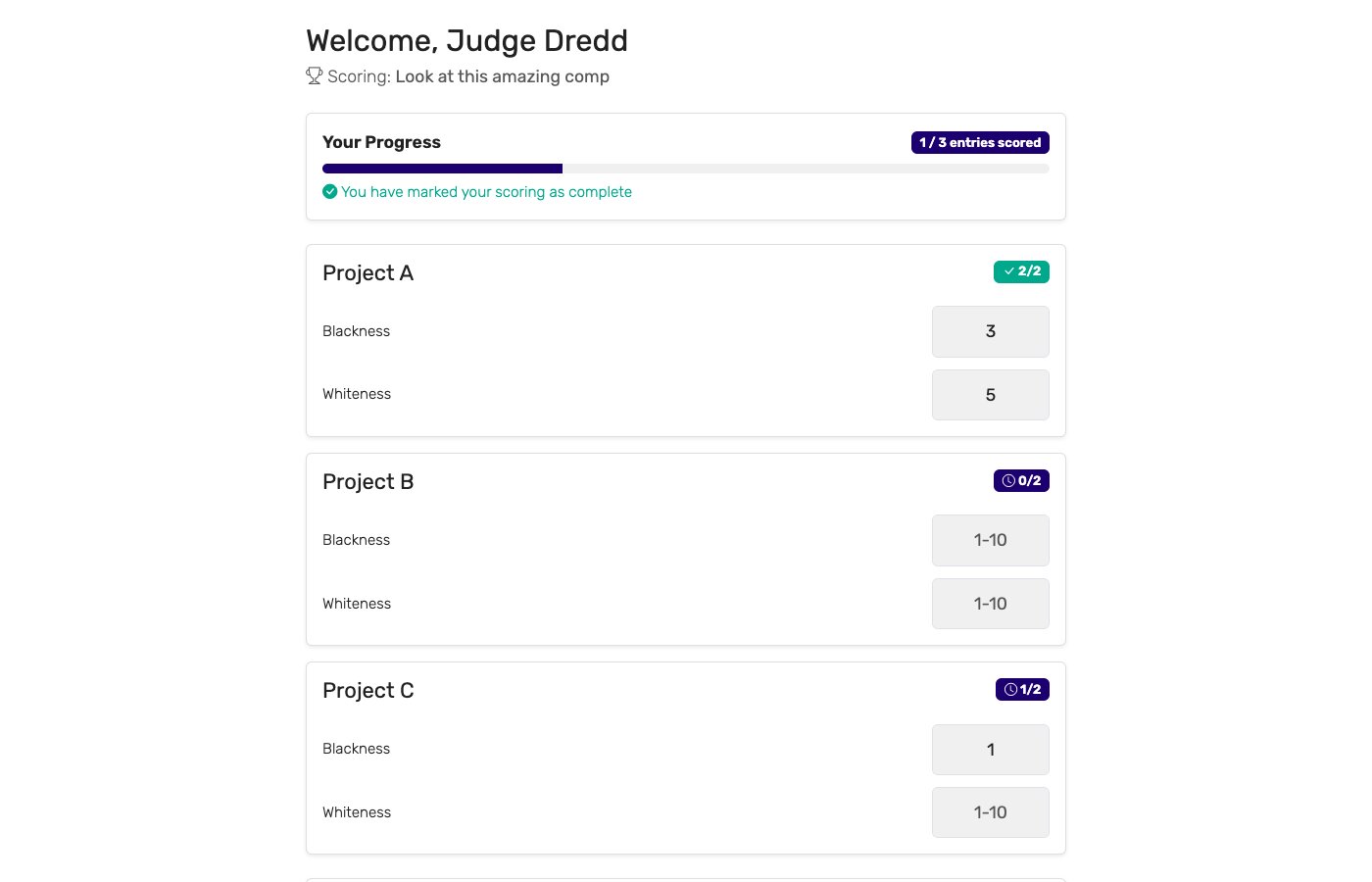
- Assign judges to projects Each judge gets a private link and their assigned set of projects. They open it on a phone — no app install, no login — and see one project at a time with a score input for each criterion.
- Judges score at their own pace Judges review the board, talk to the student, score each criterion, and submit. They work through their projects in any order, on their own schedule. Optional: drop the highest and lowest score per project to cancel out an outlier judge.
- Display the ranked results Put the public leaderboard URL on a TV or laptop in the gym. As scores come in the standings update instantly, and students and parents can open the same link on their phones.
Key features to look for
Not every judging tool fits a science fair. The features that matter most on the gym floor:
Rubric-based scoring
Judges score hypothesis, method, data, and presentation as separate criteria per project — not one number that hides how the score was built.
Per-criterion points
Scientific method and data analysis should outweigh the display board. Each criterion needs its own maximum so the science decides the winner.
Judge-to-project assignment
Assign several judges to each project and split the field into panels. No single opinion decides an award, and nobody scores the same project twice by accident.
Score at your own pace
Judges are volunteers with day jobs. They should work through their assigned projects in any order, on a phone, whenever they get to them.
Automatic tally & ranking
Dozens of rubrics add up instantly with no math errors, so teachers aren't reconciling paper at a table while parents wait.
People's choice voting
Run a parallel audience vote so students and visitors pick a People's Choice award alongside the judged winners.
Who uses science fair judging software?
Digital scoring earns its keep across every level of science fair:
Schools & districts
Classroom, grade-level, and school-wide fairs run by teachers who don't have time to reconcile a stack of paper rubrics. The free plan covers most single-school fairs end-to-end, and there's no back-table tally holding up the ribbons.
Regional & STEM fairs
Bigger events with dozens or hundreds of projects and multiple judging panels. Assign judges to specific projects, split the field by category, and keep the scoring clean without lost or mixed-up sheets.
Universities & STEM competitions
Undergraduate research symposia, engineering expos, and university-hosted fairs that need a defensible, weighted rubric and a stored per-judge breakdown for any contested placement.
Homeschool co-ops
Co-op and community science fairs run by parent volunteers. Judges score on their own phones, and a People's Choice ballot lets every family take part.
Teachers & STEM coordinators
The person actually organizing the fair, who wants setup in minutes, a rubric every judge shares, and results the moment judging closes rather than an evening of adding up sheets.
Digital scoring vs. paper scoring sheets
Most science fairs still hand judges a clipboard and a stack of printed rubrics. The two approaches compared:
| Capability | Digital scoring | Paper scoring sheets |
|---|---|---|
| Tally time | ✓ Instant | 30–90 minutes at a table after judging closes |
| Judges score at their own pace | ✓ Any order, on their phone | Whoever holds the master sheet controls the flow |
| Live standings for students | ✓ On a screen or their phones | ✗ Not possible |
| Math errors | ✓ None — software totals it | Common — hand-tally mistakes across dozens of sheets |
| Assign judges to projects | ✓ Built in, no double-scoring | A printed grid someone maintains by hand |
| Drop high/low | ✓ Automatic | Manual recalculation per project |
| People's choice vote | ✓ Built in, from any phone | A jar of paper slips to count by hand |
| Per-judge breakdown for disputes | ✓ Stored, exportable | Filed in a folder somewhere |
| Cost per event | Free plan covers small fairs | Printing + clipboards + table scorers |
Paper still works. It just costs the students the live result, costs the organizer the after-hours tally, and costs the judges the time they spend re-checking arithmetic instead of talking to students.
Why choose ScoreJudge for science fairs
ScoreJudge is competition judging software built for live events — including science fairs. Set up your rubric, assign judges to projects, score each entry on method, data, and presentation, and let the ranked results appear as soon as judging closes. Free plan covers small classroom and school fairs; paid plans add more judges, projects, and custom branding.
What ScoreJudge is used for
Science fair organizers use ScoreJudge across the full range of formats:
- Classroom and school-wide fairs. Quick to set up, free plan covers most single-school events, no app install for judges.
- Regional and district STEM fairs. Split the field into categories and panels, assign judges to specific projects, each with the same weighted rubric.
- University research symposia. A defensible, heavily-weighted rubric with a full per-judge audit trail for contested placements.
- Homeschool co-op fairs. Volunteer judges score on their own phones, plus a People's Choice ballot so every family takes part.
- People's choice awards. Pair the judges' panel with audience voting for a crowd-picked favorite.
Who uses ScoreJudge for science fairs
- Teachers and STEM coordinators running classroom, grade-level, and school-wide fairs.
- District and regional fair directors managing hundreds of projects across several judging panels.
- University faculty and program staff hosting research expos and undergraduate symposia.
- Homeschool co-op organizers putting on community science fairs with volunteer judges.
- Volunteer judges — scientists, engineers, and parents — who'd rather score on a phone than fill in paper.
Free accounts cover small classroom and school fairs end-to-end. Paid plans add more judges, more projects, and custom branding for larger regional and district events.
How to choose the right science fair scoring tool
If you're evaluating tools for a science fair, weigh these against your event:
- How many projects and judges? Free tiers vary. Make sure the plan covers your project count and the size of your judging panel.
- Does judging work on a phone? Judges are on their feet in the gym, not sitting at a computer. The interface has to be touch-first and quick between projects.
- Can criteria count for different amounts? If scientific method counts more than the display board, each criterion must carry its own maximum. A single flat scale won't reflect real science fair judging.
- Can you assign judges to specific projects? For anything past a single classroom you need panels and assignments so every project gets multiple judges and none gets scored twice by mistake.
- Can judges score at their own pace? Volunteers arrive and leave on their own schedule. They should score their assigned projects in any order, whenever they get to them.
- What does it cost per event? Some platforms charge per event. For a school fair that's a non-starter — a real free plan or a subscription matters.
For a deeper look at running fair competitions, see how to judge a competition fairly. To add a crowd-picked award, see audience voting.
Score your next science fair with ScoreJudge
Set up your rubric, judge assignments, and ranked results in about ten minutes. Free plan covers classroom and school fairs end-to-end — no per-event fees, no judge logins, no paper.
Frequently asked questions
What criteria are used to judge a science fair?
Most science fairs score projects on a shared rubric: the research question and hypothesis, the scientific method and experimental design, data analysis and results, creativity and originality, the presentation and display board, and a student interview that tests real understanding. Each area carries its own point value, and the totals decide placement. Elementary fairs keep it simple; regional and ISEF-affiliated fairs weight method and data analysis most heavily.
How do you judge a science fair?
Assign each judge a set of projects, give every judge the same rubric, and have them score each project on the same criteria — hypothesis, method, data, creativity, display, and interview. Judges review the board and talk to the student, score each category, and submit. With digital scoring, judges work at their own pace on a phone, the totals calculate automatically, and the ranked results are ready as soon as the last judge submits.
Is there a free science fair judging app?
Yes. ScoreJudge has a free plan that covers small school and classroom fairs end-to-end. Judges score from their phones with no app install and no accounts, the results tally automatically, and there are no per-event fees. Larger regional and district fairs with more projects and judges can upgrade to a paid plan.
What is a good science fair scoring sheet or rubric?
A good science fair rubric breaks the project into clear, weighted categories so every judge scores the same things: research question and hypothesis, scientific method and methodology, data analysis and results, creativity and originality, presentation and display board, and the student interview. Score each category on a wide enough range to separate strong projects, and give the heavier scientific criteria more points than presentation so the science, not the poster, decides the winner.
Can multiple judges score the same project?
Yes, and they should. Assign several judges to each project so no single opinion decides an award. ScoreJudge combines the scores automatically and can drop the highest and lowest score per project to cancel out an outlier judge. The per-judge breakdown is stored, so any contested placement can be reviewed on the spot.
Can I display live science fair results on a screen?
Yes. ScoreJudge provides a public leaderboard URL you can put on a TV, projector, or laptop in the gym or auditorium. As judges submit scores, the standings update instantly, and students and parents can open the same link on their phones to follow along — no login required.