You are choosing a platform for a competition and both ScoreJudge and Judgify keep appearing in your research. They solve related problems but approach them from opposite ends — ScoreJudge is built for the live judging moment, Judgify is built for the whole award-program lifecycle. This page lays out what each tool does, where they genuinely differ, and which one fits the event you are running.
What Is ScoreJudge?
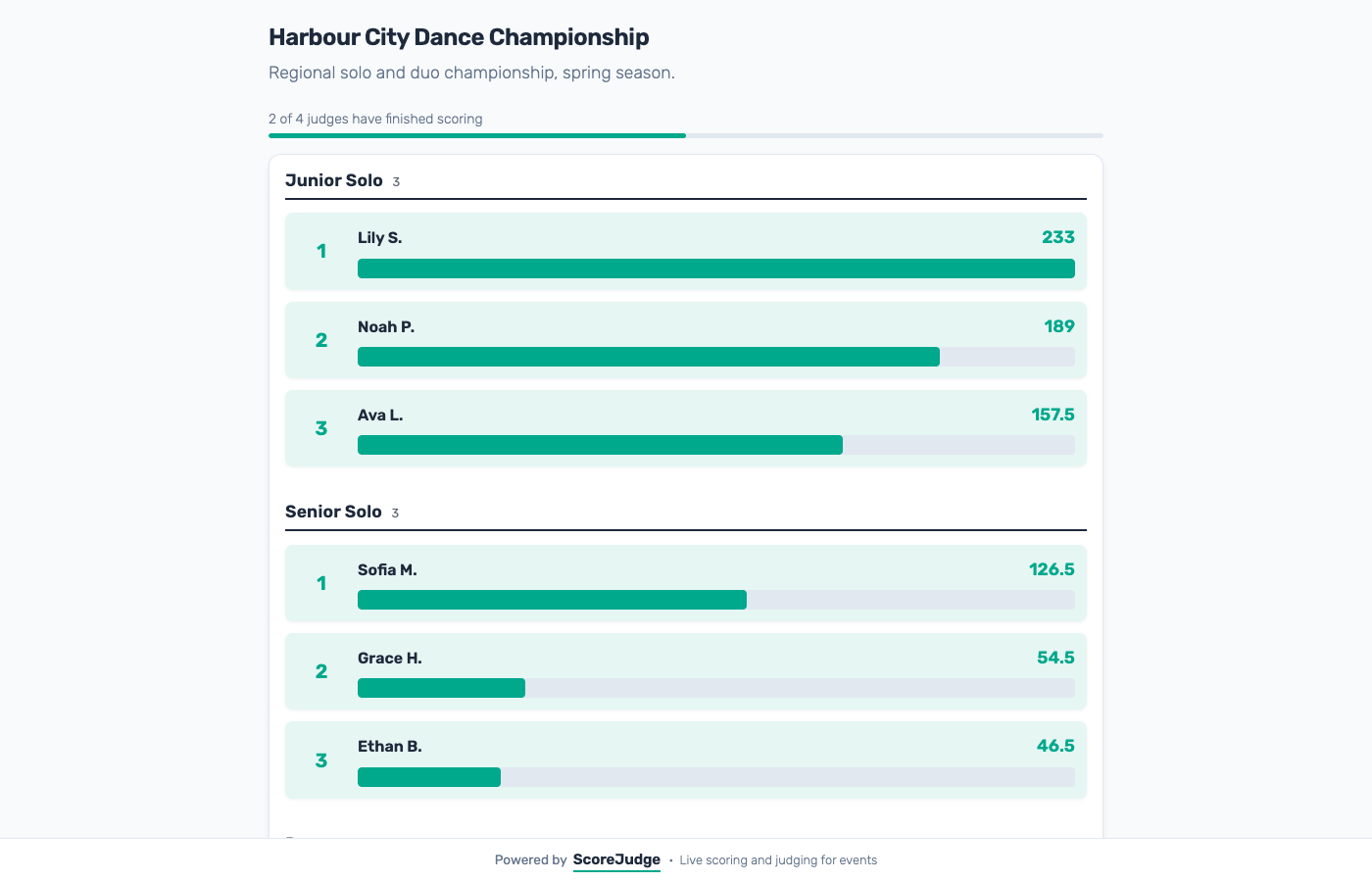
ScoreJudge is a browser-based platform for real-time competition judging. An organizer sets up a competition, defines scoring criteria and weights, adds the entries, and shares a private link with each judge. Judges score from a phone, tablet, or laptop — no account, no app install. The public leaderboard updates in real time as scores come in, which means the rankings can be projected on the big screen during the event itself.
Built for:
- Hackathons and pitch competitions
- Talent shows, bake-offs, and community contests
- School and university judging events
- Corporate innovation showcases where the judging happens live
Setup typically takes around five minutes. There is a free plan that is sized to run a real contest, not just preview the tool, and Pro covers up to 200 competitions on a simple monthly fee.
What Is Judgify?
Judgify is an end-to-end award management platform. It is designed around the full lifecycle of a contest or award program — collecting submissions, moderating entries, running multiple private judging rounds, and producing final reports. Organizers build a custom submission form, contestants upload entries (including files up to 50 MB on Pro or 250 MB on Enterprise), and private judging rounds are opened for invited judges.
Built for:
- Corporate award programs with formal submission and evaluation stages
- Academic calls for papers and conference abstract review
- Creative contests that require file uploads and moderation
- Enterprises that need unlimited categories, larger files, and SLA-backed support
Judgify is paid per event on its Pro plan, with an annual Pro Unlimited option and a custom Enterprise tier. The paid plans carry an onboarding fee on top, and Judgify doesn't publish how much it is.
Feature Comparison
Setup and onboarding
ScoreJudge is designed so the organizer can have a competition live in roughly five minutes: create the competition, add entries, define criteria, share judge links. No onboarding call, no account setup for judges.
Judgify has a more deliberate setup flow because the product covers more of the lifecycle — submission forms, moderation, multiple rounds, reporting. An onboarding fee applies to the paid plans. For a structured award program that fee is part of the product; for a one-evening pitch competition it is the friction ScoreJudge is built to avoid.
Submissions and file uploads
This is the cleanest functional difference. Judgify collects submissions: contestants fill in a form, upload files, and their entry is moderated before going into a judging round. ScoreJudge does not have a submission stage — the organizer adds entries directly, which suits events where contestants arrive in person with a demo, a pitch, or a performance. If you need contestants to upload a PDF abstract or a video before the event, Judgify is the right category of tool.
Live leaderboard versus post-round reporting
ScoreJudge is built for the live moment. As each judge submits scores, the public leaderboard updates, and the whole point is to project that leaderboard during the event. Audiences watch rankings move in real time, and the winner can be announced the moment the last score lands.
Judgify is structured around private judging rounds: judges score inside the platform, the round closes, and reports are produced afterwards. That is the right shape for a corporate award program where the reveal is a separate event, but it is not the same product as a live-leaderboard tool.
Multi-round judging
Judgify supports multiple private judging rounds within one event — one Pro plan includes up to 5 rounds, Enterprise is unlimited. That is useful for programs with shortlisting, semifinals, and finals in the same workflow.
ScoreJudge runs a single scoring round per competition. The usual workaround for staged events is to run each stage as its own competition. If your event naturally has multiple formal rounds inside one award program, Judgify is a better fit.
Judge experience
ScoreJudge sends each judge a private scoring link — one click and they are scoring. No password, no app. The same flow works for organizers who recruit judges the day of the event, and for judges who are mentors rather than full-time users of a judging platform.
Judgify has judges log in to the platform. The richer judging environment matches the rest of the product — multi-round, submission-based, with moderation — but it adds a small step for one-off judges.
Scoring rubric and totals
Both tools let you build a custom scoring rubric where some criteria count for more than others, and both total the scores across all judges automatically. Both allow judges to leave private notes per entry, and both export a full CSV with every score per judge per criterion.
Audience voting
Both tools offer a public voting mode alongside judge scoring, which is useful for "audience choice" awards.
Use Case Comparison
Which tool is better for a hackathon or pitch day?
ScoreJudge is the stronger fit. The event is live, the judging is live, the audience is in the room, and the budget is usually "we have no budget for this". Judges score on their phones as teams pitch, the leaderboard moves on the screen behind them, and awards can be called the moment the final pitch ends. See pitch competition judging for a deeper walkthrough.
Which tool is better for an enterprise award program?
Judgify. If the program involves nominations, moderated submissions, multiple rounds, and a formal reveal — for example, an internal "Innovator of the Year" run across a global company — Judgify's lifecycle coverage and onboarding support fit the shape of that work. ScoreJudge is not trying to be that tool.
Which tool is better for an academic conference call for papers?
Judgify. The product is built for exactly that workflow: abstract submissions, moderation, multi-round peer review, and reporting. ScoreJudge's single-round live format does not match conference workflows.
Which tool is better for a school talent show, bake-off, or science fair?
ScoreJudge. Organizers of these events need a tool a PTA can run: no IT support, no sales call, a free plan that actually works, and a leaderboard the audience can see on the auditorium screen. Judgify is overpowered for a Friday-evening talent show.
Which tool is better for a corporate innovation challenge?
It depends on the shape. If entries are submitted in advance with files and multiple rounds, Judgify. If teams pitch live to a panel of judges in a single session, ScoreJudge.
Pricing
Judgify has a free Basic plan (100 submissions, 5 categories, 1 private judging round, 5 MB file uploads). The Pro plan is $699 per event plus an onboarding fee, raising limits to 500 submissions, 25 categories, 5 private judging rounds, and 50 MB file uploads. Pro Unlimited covers unlimited events at $2,399/year plus onboarding, and Enterprise is custom priced with unlimited categories and 250 MB file uploads.
ScoreJudge has a free plan that is sized to run a real contest. Plus is from $19/mo and Pro from $39/mo, with one-time and annual options available. Pro covers up to 200 competitions — there is no per-event fee and no onboarding fee. See ScoreJudge pricing for current plans and limits.
The Bottom Line
Judgify and ScoreJudge are not really the same product. Judgify is an award-management platform that covers the full lifecycle — submissions, moderation, multi-round judging, reporting — and its pricing and onboarding reflect that scope. For a corporate award program, an academic call for papers, or any contest with a formal submission stage, Judgify is a strong, deliberate choice.
If Award Force is also on your shortlist, ScoreJudge vs Award Force covers the same ground against the enterprise end of the category, and the Judgify alternatives guide covers the rest of the market.
ScoreJudge is narrower on purpose: it is built for the live judging moment. The event is in front of you, the judges are in the room, and you want a scoring tool that takes five minutes to set up and puts a real-time leaderboard on the screen. For hackathons, pitch days, talent shows, and school competitions, that focus is a feature — and the monthly pricing and free plan make it workable for one-off events or recurring programs alike.
Feature Comparison
| Feature | ScoreJudge | Judgify |
|---|---|---|
| What it is | Browser-based real-time competition judging software for live events. | End-to-end award management platform for multi-round contest and award programs. |
| Who is it for | Hackathons, pitch competitions, talent shows, school events, and any contest where the judging happens live. | Corporate award programs, academic abstract submissions, and organizations running structured multi-round contests. |
| Core capability | Judges score on their phones during the event; the leaderboard updates in real time on the big screen. | Collects submissions, runs private judging rounds, and produces award reports. |
| Free tier | Yes — enough judges, entries, and competitions to run a real event. | Yes — 100 submissions, 5 categories, 1 private judging round per event, 5 MB file size. |
| Paid pricing | From $19/mo (Plus) and $39/mo (Pro), with one-time and annual options. No onboarding fee. | Pro $699/event + onboarding; Pro Unlimited $2,399/yr + onboarding; Enterprise custom. |
| Per-event pricing | No — Pro covers up to 200 competitions. | Yes — Pro plan is billed per event. |
| Onboarding fee | ✗ | ✓ |
| Setup time | Around 5 minutes — add entries, add criteria, share judge links. | Longer — configured around submission forms, moderation, and multi-round workflows. |
| Judges need an account | No — each judge gets a private scoring link. | Judges log in to the Judgify platform. |
| Live leaderboard during event | Yes — updates in real time as judges submit. | Built around post-round reporting, not live rankings on the big screen. |
| Custom scoring rubric with per-criterion points | ✓ | ✓ |
| Private judge notes per entry | ✓ | ✓ |
| Submissions / entry collection forms | No — organizer adds entries directly. | Yes — full submission forms, moderation, and file uploads. |
| File uploads from contestants | ✗ | Yes (up to 5–250 MB depending on plan) |
| Multi-round private judging | No — single scoring round per competition. | Yes — up to 5 rounds on Pro, unlimited on Enterprise. |
| Public / audience voting | ✓ | ✓ |
| CSV export of all scores | ✓ | ✓ |
| Works on any device, no app install | ✓ | ✓ |
Which One Should You Choose?
Choose Judgify if...
- You run a corporate award program or academic call-for-papers with a formal submission stage
- You need contestants to upload files, abstracts, or media as part of entering
- You want multiple private judging rounds (shortlisting, semifinals, finals) within one event
- You need enterprise features like unlimited categories, large file uploads, and audit support
- The per-event budget is not a constraint and onboarding support is a benefit, not a cost
Choose ScoreJudge if...
- The judging happens live and you want a leaderboard on the big screen during the event
- You want to set up a competition in minutes without an onboarding call
- You run multiple events per year and do not want per-event pricing
- Judges should be able to score from a phone without creating an account
- You need a free plan that is actually enough to run a real contest
- You are organizing a hackathon, pitch day, talent show, bake-off, or school competition
Frequently Asked Questions
"Is ScoreJudge a good replacement for Judgify?"
It depends on the event. If your event revolves around collecting submissions, moderating them, and running multiple private judging rounds, Judgify is purpose-built for that. If the judging itself is the live event — hackathons, pitch days, talent shows, school contests — ScoreJudge is usually the better fit, and significantly cheaper.
"How much does Judgify cost?"
Judgify has a free Basic plan (100 submissions, 5 categories, 1 judging round, 5 MB files). Pro is $699 per event plus an onboarding fee. Pro Unlimited is $2,399 per year plus onboarding. Enterprise is custom priced. See judgify.me/pricing for current details.
"How much does ScoreJudge cost?"
ScoreJudge has a free plan that runs a real competition. Plus is from $19/mo and Pro from $39/mo (one-time and annual options also available). Pro covers up to 200 competitions — there is no per-event fee and no onboarding fee. See scorejudge.com/pricing/ for current plans.
"Does Judgify have a live leaderboard on the big screen?"
Judgify is built around submission collection and private judging rounds, with reporting after the round closes. ScoreJudge is built around live events: the public leaderboard updates the moment a judge submits a score and is designed to be displayed on a venue screen or live stream.
"Do judges need to create a Judgify account?"
Yes — Judgify uses the platform's login flow for judges. On ScoreJudge each judge gets a private scoring link; one click and they start scoring. No passwords, no app install.
"Can I collect submissions from contestants with ScoreJudge?"
Not today. ScoreJudge is for judging entries that you already have — the organizer adds entries before the event starts. If you need a formal submission stage with forms, moderation, and file uploads, Judgify is the right category of tool.
"Does ScoreJudge support multiple judging rounds?"
ScoreJudge runs a single scoring round per competition. If you need shortlisting, semifinal, and final rounds inside one event, Judgify supports that (5 rounds on Pro, unlimited on Enterprise).
"Can both tools export results for prize allocation?"
Yes. Both ScoreJudge and Judgify export a full CSV with every judge's score per entry per criterion, so you have a clean audit trail for awards.
Try ScoreJudge Today
Create a competition in under five minutes. No onboarding call, no per-event fee — the free plan is enough for a real event.
Information about Judgify was accurate as of October 2026. Visit https://www.judgify.me for latest details.