How to Run a Talent Show with Live Audience Voting
A practical guide to running a talent show with live audience voting — picking the right voting mode, sharing the link, and avoiding the usual disasters.
Article Contents
Talent shows live or die on the result feeling right. Get a winner the audience disagrees with and the whole evening flattens. Get the audience involved in picking the winner and you've turned the second half of the show into something they're emotionally invested in.
Live audience voting — done well — is the difference between an event the audience watches and an event the audience is part of. This is the practical guide.
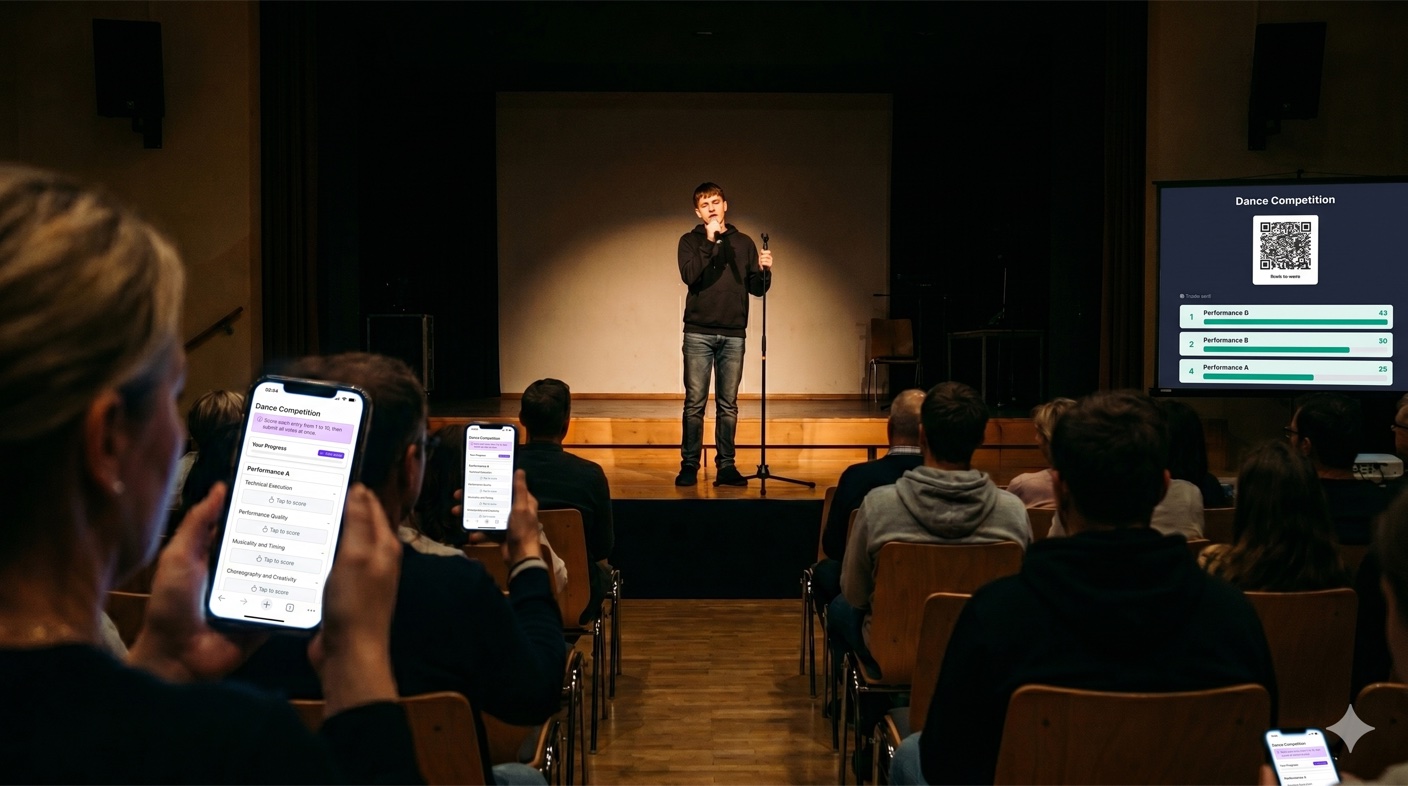
Decide What Voting Actually Decides
The first decision isn't about technology, it's about format. There are three reasonable patterns for a talent show; pick one before you set up anything.
Audience-only voting. Every act performs, audience votes, highest score wins. Simple, high engagement, low overhead. Best for school shows, community events, and informal company talent nights where the result is meant to be a celebration rather than a definitive ranking.
Panel-only judging. A small panel of judges (faculty, local performers, alumni, leadership) scores each act on shared criteria. The audience watches. More credible, less interactive. Best for events where prizes are significant or the show is being recorded for external use.
Combined — Judges' Choice plus People's Choice. Two awards from the same set of acts: one decided by the panel, one decided by the audience. Often the same act wins both. Sometimes they split, which itself is a memorable moment. This is the format most large talent shows use because it gives the audience a stake without removing the credibility of expert judgment.
If you're picking between panel and audience, the panel judging vs audience voting comparison goes deeper. For this post we'll assume audience voting is part of your format — either as the only vote or as a parallel "People's Choice".
Pick the Voting Style That Matches the Show
If you're using Score Judge, audience voting comes in two modes. The choice matters more for a talent show than for most event types.
Audience Scoring — voters rate each act on numeric criteria. Best when you actually want the audience to evaluate dimensions separately (e.g. "Performance 1–10", "Stage Presence 1–10", "Originality 1–10"). The downside on phones: more criteria = more taps = more abandonment. For a 10-act show with 3 criteria, that's 30 inputs per voter, which is fine but at the edge of what's comfortable.
Audience Ranking — voters drag the acts into their preferred order, and points are distributed Eurovision-style (12 to the top, 10 to the second, and so on). This works exceptionally well for talent shows for two reasons. First, "rank the acts from favourite to least favourite" is closer to how audiences actually think about a talent show — they're not separately evaluating "originality" from "presentation"; they have an overall preference order. Second, the Eurovision-style point distribution creates a clear winner even when the audience is split — small preference differences at the top of the rankings get amplified into a meaningful gap on the leaderboard.
For most school and community talent shows, Audience Ranking is the better default. For shows where you genuinely want the audience to evaluate technical dimensions (a competitive dance event, a music conservatory recital), Audience Scoring is the better fit because the criteria are doing real work.
Setup: Do This the Day Before, Not on the Night
The most common failure mode at any live-event vote isn't the voting itself — it's organizers fiddling with setup ten minutes before the show.
Inside Score Judge, the wizard takes you through four steps in audience mode:
- Details — name the competition (e.g. "Spring Talent Show 2026 — People's Choice"), pick Audience Ranking or Audience Scoring. This choice is locked once you save.
- Entries — add every act, in performance order, with the act name and (optionally) the performers. Voters will see this list — use clear, distinctive names. "Maya & Sam — Acoustic Duet" beats "Act 3".
- Criteria — for Audience Scoring, define what voters rate. For a talent show, two to three criteria is the sweet spot. For Audience Ranking, this step is skipped.
- Review — check everything, then save.
Two things to do after the wizard but before the night:
- Print or display the QR code you'll show on the main screen during voting. A QR code at least 6cm wide on a 1080p projection is readable from most of the room.
- Pre-test with one or two people on different phones. Open the voting link on an iPhone and an Android, walk through a vote, confirm the submission lands on the leaderboard. Doing this once the night before saves a panic moment during the show.
During the Show: When to Open Voting
Two reasonable patterns:
Open voting from the start. Audience can vote as acts perform. The leaderboard updates live and creates running tension. Risk: early voters can't compare against acts that haven't happened yet, so the first act gets votes from people who haven't seen the rest.
Open voting after all acts have performed. Host announces "voting is now open" at the end. Cleaner ballots — everyone has seen everything. Risk: less tension during the show itself, and a longer wait for the result while voting closes.
For Audience Ranking, opening after all acts have performed is usually better because voters need to compare acts side by side. For Audience Scoring, opening from the start works fine because each act is being scored independently.
Whichever pattern you pick, announce voting clearly from the stage:
- Display the QR code on the main screen
- Say the URL out loud (use a URL shortener if your default URL is long)
- State the deadline ("Voting closes in 5 minutes" or "Voting closes when the host comes back on stage")
- Tell people whether they can change their vote (in Score Judge, ballots are locked after submission, so make this clear)
The single most common mistake is showing the QR code for 10 seconds during a transition slide while half the room doesn't have their phone out. Display it for the full voting window.
Showing Live Results — and the Big Reveal
Talent shows are one of the formats where the live leaderboard is genuinely worth projecting. Watching the rankings shift as votes come in is part of the show.
Two approaches work:
Live throughout voting — leaderboard on a secondary screen, or projected during voting. Audience watches their favourite climb. This works for Audience Scoring because votes come in continuously. For Audience Ranking it's less effective because ballots aren't submitted until voters have ranked all acts, so the leaderboard sits empty for several minutes and then jumps.
Reveal at the end — leaderboard hidden during voting, projected when the host comes back on stage to announce the winner. Cleaner suspense, single big moment. This works well for Audience Ranking because the result lands as a complete picture rather than a slow climb.
If you're running both panel and audience voting in parallel, the standard pattern is: announce the panel result first (the "credibility" prize), then reveal the audience result second (the "engagement" prize). When they match, you get a strong endorsement of the winner. When they split, you get a memorable moment and two acts on stage celebrating different awards.
Handling the Specific Things That Go Wrong at Talent Shows
A short list of what we've seen go wrong, and how to handle each.
Performer relatives vote-stuff for their kid. With anonymous voting, you can't stop it entirely, but the impact is bounded. The bigger your audience, the less any one family group can shift the result. For a 200-person school audience, even ten relatives voting for the same act move the average by less than half a point. If you're worried, set a clear "one vote per person" rule announced from the stage; it doesn't stop determined cheaters but it shifts norms.
An act runs significantly longer than expected. Voting windows that close on a clock get awkward when acts overrun. Better pattern: "voting closes when the host comes back on stage" — gives you flexibility to extend if act 10 needs five extra minutes.
Wi-Fi at the venue is overloaded. Most venue Wi-Fi can handle 50–100 simultaneous voters for a single ballot submission. For larger audiences, ask the venue's network admin in advance. Score Judge submits the ballot in one POST after voters finish — much lighter than continuous streaming — but a saturated network can still drop submissions.
Audience members vote for acts they haven't seen. With Audience Ranking this is structurally prevented because voters can't submit until they've ranked all acts. With Audience Scoring, voters can submit a partial ballot. If this matters for your event, use Audience Ranking; if it doesn't (most casual shows), Audience Scoring is fine.
Last-act bias. Voters tend to remember the last act more vividly than the first, and that bias can show up in the result. There's no perfect fix, but performance order matters — if you have a clearly stronger act, putting them in the middle of the lineup rather than first or last evens out the recency effect.
What to Do After the Show
Two things worth doing in the day or two after:
Download the CSV. Per-entry, per-vote results live on the dashboard, but exporting locks in the audit trail. If a parent or performer disputes the result a week later, you have the data.
Send a follow-up. A short post-event message with the final leaderboard, photos, and a "thanks for voting" line drives more goodwill than the event itself in some cases. For school events, this is also content for the next round of marketing — "last year 87% of the audience voted; this year we want 100%".
Frequently Asked Questions
How many acts is too many for a talent show vote?
For Audience Scoring with two to three criteria, 12 acts is the comfortable upper bound — beyond that voters start abandoning ballots halfway. For Audience Ranking, 15 acts is workable because dragging is faster than scoring. For shows bigger than that, consider running a preliminary round (top 8 advance) and only audience-voting on the final round.
Should I let people vote multiple times?
No. Score Judge enforces per-device duplicate prevention by default, and that's the right default. If someone uses both their phone and laptop they can technically vote twice, but for normal talent show audiences this is fine. For high-stakes events use Panel Judging instead — see the comparison post.
Can I add a "judges' choice" award on top of audience voting?
Yes — the standard pattern is to create two competitions for the same event, one in Audience Scoring or Audience Ranking mode and one in Panel Judging mode, with the same entries. The judges vote on their own private leaderboard; the audience votes on theirs. Two awards from one show.
How do I display the QR code from the stage?
The reliable approach: a slide with just the QR code (large, centered, on a contrasting background) plus the URL printed below it as a fallback for people whose camera doesn't scan well. Display this for the full voting window, not just a 10-second transition.
Is there a free tier?
Yes. Audience voting on Score Judge is free for up to 25 unique voters per competition — enough for most school events, community shows, and small company talent nights. The Plus plan raises this to 250 voters and Pro removes the cap. See the pricing page for details.
For background on how audience voting compares to having a judge panel, see panel judging vs audience voting. For the general step-by-step setup that applies to any live event, see how to set up audience voting at live events.

Written by Caspar von Wrede
Founder of Score Judge. Building tools for real-time competition judging at live events.