How to Set Up Audience Voting at Live Events (Step-by-Step)
A step-by-step guide to running live audience voting at your event — from picking the right voting mode to sharing the link and displaying live results.
Article Contents
You have a stage, an audience, and three to twenty entries that need a winner. Maybe it's a chili cook-off, a startup demo night, a school talent show, or an internal hackathon. You want everyone in the room to weigh in — not just three judges at a back table.
Live audience voting handles this. Done well, the audience feels involved, the winner feels legitimate, and you don't lose ten minutes at the end counting paper ballots.

Done badly, you end up with a friend-vote contest, a broken QR code in front of 200 people, or a results screen that nobody can read from the back row. This guide is the version that works.
Decide What "Voting" Means Before You Set Up Anything
The first decision is structural, not technical: do you want people to score the entries, or rank them?
- Scoring asks each voter to rate every entry on one or more criteria (e.g. "Creativity 1–10", "Taste 1–5"). Best when you want quantitative feedback per dimension, or when entries are judged in parallel and could legitimately all score high or all score low.
- Ranking asks each voter to drag the entries into their preferred order. Points are then distributed Eurovision-style — 12 to the top, 10 to the second, and so on. Best for preference polls where "pick your favourite" is the real question.
Most people default to scoring because it feels more rigorous. Ranking is usually the better choice for events where the audience is comparing similar entries (best costume, favourite song, top demo) and you want a clear winner, not a numeric report.
If you're using Score Judge, these two map directly to Audience Scoring and Audience Ranking modes. Both share the rest of the flow below.
Step 1: Pick a Tool That Doesn't Need App Installs
If your audience has to download an app, install a browser extension, or sign up for an account, you've already lost a third of them. The reality of a live event is that people pull out their phone, scan something, and have about ten seconds of patience before they put it away.
What you need:
- A single shared voting URL (or QR code)
- Anonymous voting — no email, no account
- A mobile-first interface that works on a cracked iPhone SE and the latest Pixel
- Per-device duplicate prevention (best effort — the goal is to stop casual double-voting, not to defeat a determined attacker)
- A live leaderboard you can project
Score Judge does this with one link. Other audience-response systems (Slido, Poll Everywhere, Mentimeter) handle the polling side but aren't built around scoring entries against criteria — see the Slido alternatives comparison for trade-offs.
Step 2: Set Up the Competition (Before the Event, Not During)
The most common mistake is leaving setup until the last fifteen minutes. The dashboard, the entries, the criteria — all of it should be done at least a day in advance.
Inside Score Judge, the wizard takes you through four steps in audience mode:
- Details — name your competition, pick Audience Scoring or Audience Ranking. This choice is locked once you create the competition.
- Entries — add the contestants, dishes, demos, performers. Use clear names. If two entries have the same title ("Chili #3" and "Chili #3"), voters will pick the wrong one half the time.
- Criteria (Audience Scoring only) — pick what voters rate (one criterion for simple "favourite" votes, two to four for nuanced feedback) and the scale. A 1–5 scale is friendlier on phones; 1–10 gives more granularity.
- Review — sanity-check everything before sharing the link.
For audience voting, fewer criteria is better. Three criteria × twelve entries × a phone keyboard is a lot of tapping. Ask yourself: at the end of the night, do you actually need a "Presentation" score separately from "Overall"? If the answer is no, collapse them.
Step 3: Share the Voting Link Well
You'll get one URL. Your job is to make it scannable, memorable, or both.
The reliable patterns:
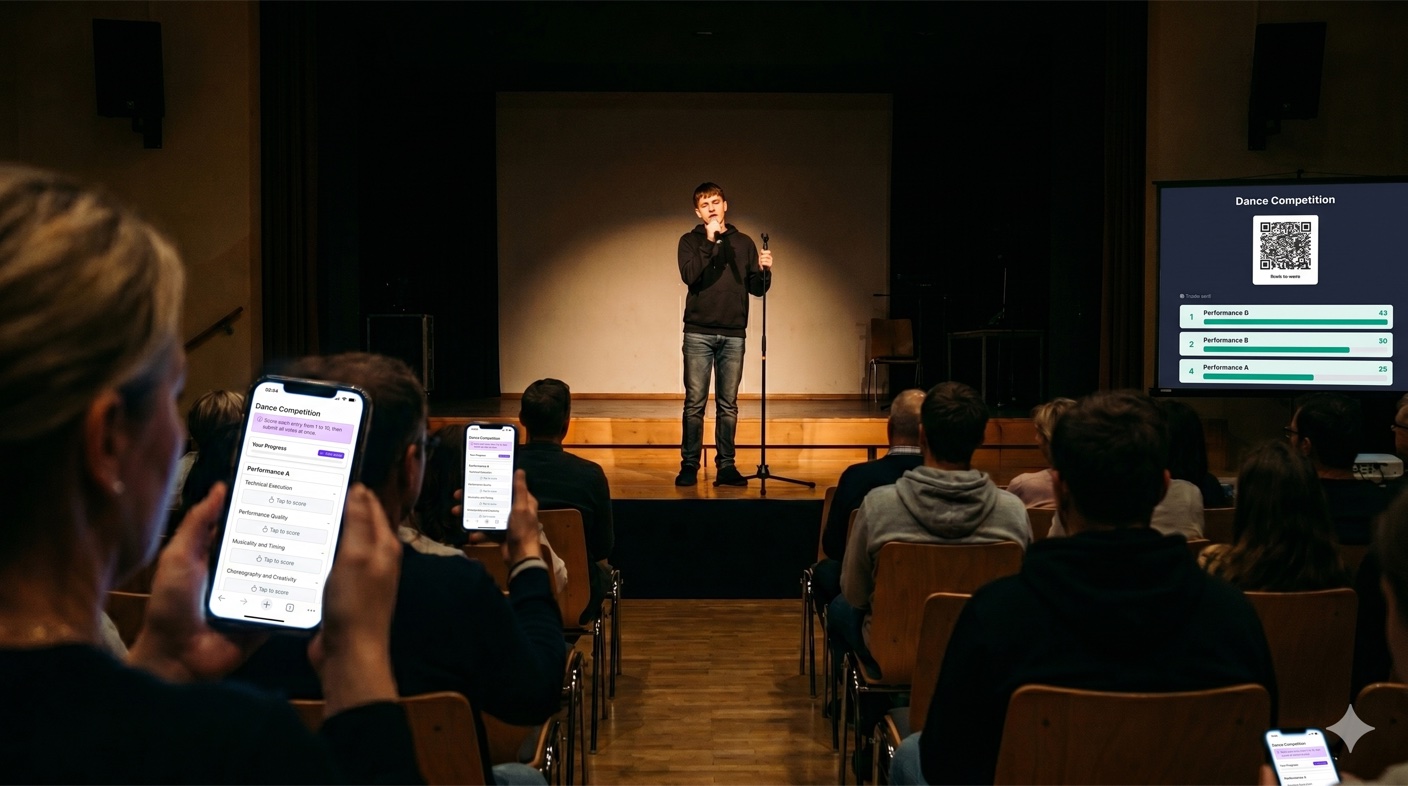
- QR code on a slide displayed on the main screen throughout voting. A large QR code (at least 6cm wide on a 1080p projection) scans from most of the room.
- Printed table tents on every table at a dinner event. People scan once and the link is already in their browser.
- Short URL announced from the stage — if your tool generates an opaque token URL, use a URL shortener so the host can say it out loud.
- Linkin.bio or event website link if your audience is mostly online or hybrid.
Two anti-patterns to avoid: dictating a 60-character URL from the stage (nobody types that on a phone), and showing the QR code for ten seconds during a transition slide (half the room won't have their phone out yet).
Step 4: Show the Leaderboard — But Choose When
Score Judge displays a live leaderboard that updates as votes come in. Whether you project it during voting or hold it until the end is a judgment call.
Show it live if the energy of "rankings shifting in real time" is part of the show. Eurovision works because the audience watches the numbers move. Cooking competitions use this format deliberately — the drama is the point.
Hold the results if you want a single big reveal at the end. This works better for award-style events where the suspense of the announcement matters more than running tension.
Some events split the difference: hide the leaderboard during voting, then project it on the big screen at the end as the host announces the winner. The audience can see exactly how close the result was, which makes second and third place feel earned rather than buried.
Step 5: Handle the Edge Cases Before They Happen
Three things will go wrong at any live event with audience voting. Plan for each.
Someone votes for every entry as 10/10 to game the result. With anonymous voting, you can't stop this individually, but the impact is bounded — one outlier voter gets averaged out across the rest. The bigger your audience, the less any single bad-faith voter matters. Don't worry about it unless your audience is under 20 people.
The Wi-Fi falls over. Most venues' guest Wi-Fi can handle 50 simultaneous users for a poll. If you're expecting 300+, ask the venue's network admin in advance, or pre-test with a group of friends in the room. Score Judge submits the whole ballot in one POST after voters complete their selections, which is much lighter on the network than continuous real-time updates would be.
The voting link reaches the limit on your plan. Each plan caps the number of unique voters per competition. On the free plan that's 25; on Plus it's 250; on Pro there's no limit. If you're running an event with more than 25 voters, upgrade before the event, not during.
Step 6: Export and Share Afterwards
Once voting closes, download the results CSV. Two reasons:
- Audit trail. If a contestant disputes their placement, you have the full data.
- Follow-up content. A "top 10 entries by audience vote" recap email or social post is great post-event marketing — and people who voted want to see how things turned out.
For internal company events (innovation days, all-hands voting), the export also feeds your year-end report. For public events, it's the source of truth for the announcement.
What Audience Voting Doesn't Replace
A few formats are not improved by audience voting:
- Technical evaluations. A panel of domain experts will produce more reliable rankings than 200 audience members for things like code quality, scientific merit, or surgical technique.
- High-stakes prize money. If significant cash or career consequences ride on the result, named judges with accountability beats anonymous voting.
- Niche-knowledge contests. A wine competition judged by general audience members will produce a different (and probably worse) result than one judged by sommeliers.
For those, run Panel Judging — see how multi-judge scoring works — or run both in parallel and award separate "judges' choice" and "people's choice" prizes. That's a surprisingly common setup at film festivals, hackathons, and award ceremonies.
Frequently Asked Questions
How many entries is too many for audience voting?
For Audience Scoring with three criteria, twelve entries is the comfortable upper bound — beyond that voters start skimming or abandoning the ballot. For Audience Ranking, fifteen entries is workable because dragging a list is faster than entering scores. If you have more, consider running a first round to shortlist, then a final round with the top six.
Should I let people vote multiple times?
No. Per-device duplicate prevention is the default for a reason — once one person figures out they can vote ten times, the result is meaningless. Score Judge enforces one ballot per device by default. The trade-off is that someone using both their phone and laptop could vote twice; for normal audiences this is fine, for high-stakes events use Panel Judging instead.
Can the audience vote remotely?
Yes. Anyone with the link can vote, whether they're in the room or watching the livestream. This is useful for hybrid events — the in-room audience scans the QR code, remote viewers click a link in the stream description, and both feed the same leaderboard.
What happens if someone votes before all entries are presented?
For Audience Scoring, voters see all entries from the start of the vote. By default they have to score every entry before submitting, which means waiting until the last one has been on. If you switch on Let voters skip entries, people can submit early with just the entries they've seen — the leaderboard then averages over whoever scored each entry. For Audience Ranking, voters can't submit until they've ranked every entry, which forces them to wait until the last entry is on stage. Pick the mode that matches how you want to handle early voters.
Is there a free tier?
Yes — you can run audience voting with up to 25 unique voters for free at scorejudge.com. Paid plans raise this to 250 (Plus) and unlimited (Pro).
For specific event types, see how to run a talent show with live audience voting and the comparison of panel judging vs audience voting.

Written by Caspar von Wrede
Founder of Score Judge. Building tools for real-time competition judging at live events.