
What is an interview scorecard?
An interview scorecard is a shared form that every interviewer fills in for the same candidate, scoring the same competencies on the same scale. Instead of each panellist arriving at the debrief with an overall impression, everyone arrives with a number against each competency and a note explaining it.
The point of a scorecard is not the number. It is that everyone was asked the same question. Without one, a debrief is four people describing four different interviews, and the loudest or most senior view tends to win. With one, you can see in ten seconds that the panel agreed about communication and split evenly on problem solving — which is the conversation actually worth having.
Most hiring teams already have the rubric. What they usually don't have is a way to collect it. The scores end up in a shared spreadsheet where everyone can see everyone else's column as it is typed, or in four separate emails that somebody has to average by hand. For background on the wider category, see what is judging software.
What this is not: ScoreJudge is not an applicant tracking system. It does not source candidates, parse CVs, schedule interviews, or email applicants, and it will not replace Greenhouse, Lever or Workable.
It covers one part of hiring — the panel scoring on the day. If several people score the same candidate against the same rubric and you need the aggregate immediately, this replaces the shared spreadsheet, not the ATS.
Interview scorecard template
Start with four to six competencies. More than six and interviewers start scoring the same evidence twice; fewer than four and the scorecard stops telling you anything a gut feeling wouldn't. Each competency needs one line describing what evidence looks like, so two interviewers reading it arrive at roughly the same bar.
Here is a complete scorecard for a customer success manager hire. Swap the competencies for your role — the shape is what matters.
| Competency | What the panel is listening for | Scale |
|---|---|---|
| Role craft | Depth in the actual work of the role — specific examples, owned outcomes, and an honest account of what went wrong | 1–5 |
| Customer communication | Explains a complicated thing simply, handles a difficult conversation without deflecting, listens before answering | 1–5 |
| Problem solving | Breaks an unfamiliar problem down, states assumptions, changes position when given new information | 1–5 |
| Collaboration | Credits colleagues by name and by contribution, describes disagreement without describing a villain | 1–5 |
| Motivation & role fit | Wants this job rather than a job; has a concrete reason for the move that survives a follow-up question | 1–5 |
The anchored 1–5 scale
The anchors matter more than the range. An unanchored 1–10 scale mostly measures how generous each interviewer is — one person's 7 is another person's 9, and averaging them produces a number that means nothing. Five points, each tied to a description of the evidence, is enough to separate candidates and short enough that people actually use the ends.
| Score | Label | What it means |
|---|---|---|
| 1 | Strong no | Clear evidence against. You would argue in the debrief to stop here. |
| 2 | No | Some evidence, below the bar for this role. Would need a lot of support. |
| 3 | Mixed | Meets the bar in parts, visible gaps elsewhere. Needs another data point. |
| 4 | Yes | Clear evidence at the bar. You would be comfortable hiring on this. |
| 5 | Strong yes | Clear evidence above the bar. Would raise the average of the team. |
Write these definitions before the first interview, not after the third. A scale invented mid-process is not comparable across candidates, and the first two people you saw get quietly re-scored from memory.
In ScoreJudge you set the competencies up once as scoring criteria and the scale once as the competition scale, and every panellist sees the identical form. Put the anchor definitions in the competition description — panellists see it on their scoring screen, so the scale is in front of them while they use it rather than in a document nobody reopened.
Worked example: a four-person panel
A hiring committee of four interviews one candidate across a morning: Dana and Marcus take the role interview, Elif runs a working session, Tom does the final conversation. All four score the same five competencies on the same 1–5 scale, each on their own link, and none of them can see the others' numbers.
This is what the organiser sees once everyone has submitted:
| Competency — candidate Priya M. | Dana | Marcus | Elif | Tom | Panel average |
|---|---|---|---|---|---|
| Role craft | 4 | 5 | 4 | 4 | 4.25 |
| Customer communication | 5 | 5 | 4 | 5 | 4.75 |
| Problem solving | 3 | 4 | 3 | 4 | 3.50 |
| Collaboration | 4 | 4 | 5 | 4 | 4.25 |
| Motivation & role fit | 4 | 3 | 4 | 3 | 3.50 |
| Total (out of 25) | 20 | 21 | 20 | 20 | 20.25 |
Read the bottom row on its own and the panel looks unanimous: 20, 21, 20, 20. Read the rows above it and the interesting part appears. Communication is the strongest signal in the room at 4.75, with all four panellists at 4 or 5. Problem solving and motivation both sit at 3.50, and those are the two rows where the panel splits — Dana and Elif scored problem solving a 3, Marcus and Tom a 4.
That is a fifteen-minute debrief with a clear agenda: ask Marcus and Tom what they saw in the working session that Dana and Elif didn't, and decide whether the motivation answer needs a follow-up call before an offer. Four identical totals would have told you none of that.
Turn on judge notes and each panellist writes their evidence next to their score, so "3 on problem solving" arrives attached to the reason. Make notes required and nobody can submit a number without one.
Ranking a shortlist
Add every candidate for the role as an entry and the same scorecard ranks them against each other, not just against a bar in someone's head:
| Rank | Candidate | Panel average (out of 25) |
|---|---|---|
| 1 | Priya M. | 20.25 |
| 2 | Andre | 18.50 |
| 3 | Josefien | 16.75 |
Keep the ranking hidden while interviews are still running and reveal it when the loop closes — the visibility setting covers exactly this, and it stops candidate three being scored against candidate one's position on a leaderboard.
How it works
Setting up an interview scorecard takes about as long as writing the rubric into a spreadsheet, and you only do it once per role.
- Create the role and add your candidates Each candidate is an entry. One candidate for a single panel, or the whole shortlist if you want them ranked against each other at the end of the loop.
- Add your competencies as criteria Role craft, communication, problem solving, collaboration, motivation — whatever the role needs. Set the scale to 1–5 and paste the anchor definitions into the description so panellists see them while scoring.
- Send each panellist their link Every interviewer gets a private link. They open it on a phone or laptop — no account, no app, no password to reset five minutes before the interview. External panellists and contractors work the same way.
- Everyone scores independently The scoring screen shows a panellist their own scores and nothing else. Nobody sees another interviewer's numbers, so the fourth person to submit isn't anchored on the first.
- Read the result at the debrief The organiser dashboard shows who has submitted, who hasn't, and the per-competency breakdown across the panel. Export the whole thing to CSV for the hiring file.
Keeping panel scoring fair
Structured interviewing is the reason scorecards exist, and most of what makes it work is procedure rather than software. The parts a tool can actually help with:
Independent scoring
Each panellist's screen shows only their own scores. Nobody can see what a colleague gave before submitting their own — the anchoring effect a shared spreadsheet guarantees.
The same form for everyone
One set of competencies, one scale, every interviewer. No panellist quietly scoring on criteria they invented in the room.
Evidence next to the score
Judge notes attach written reasoning to each score, and can be made mandatory so a number never arrives without one.
Results hidden until the loop closes
Set visibility to hidden while interviews are still running, so nobody scores candidate three with candidate one's standing in front of them.
Weighting that matches the role
Give each competency its own maximum when some genuinely matter more — technical depth for an engineer, communication for a customer-facing hire.
A record you can go back to
Every score and note is stored per panellist and exports to CSV, so a decision questioned three months later has something behind it.
Two things the software can't do for you, and both matter more than any of the above: define the competencies before you start interviewing, and brief the panel on what each number means. A scorecard filled in against a scale four people interpret differently is a spreadsheet with extra steps.
Who uses interview scorecards?
Hiring committees
Three to six people who each see the candidate separately and then decide together. The committee format is exactly what a scorecard is for — the whole value is combining independent views without letting the first one set the tone.
Assessment centres & interview days
A cohort of candidates rotating through exercises with a different assessor at each station. Everyone scores the same competencies, the totals combine across stations, and the ranking is ready at the end of the day instead of the end of the week.
Panel interviews for one role
Four interviewers, one candidate, one morning. Each scores from their own device between sessions and the aggregate is on screen when the panel sits down to debrief.
Graduate & apprenticeship intakes
High volume, many assessors, and a real need to show the process was consistent. A stored per-assessor breakdown is worth having when an unsuccessful applicant asks how the decision was made.
Internal promotion & succession panels
Internal candidates are the hardest to score fairly, because everyone on the panel already has an opinion. Independent scoring against written criteria is the part that makes the outcome defensible to the people involved.
Recruiters running client panels
Agency and RPO recruiters collecting scores from a client's interviewers, who have no reason to create an account in the recruiter's tooling. A private link and no login is the whole feature.
Scorecard software vs. a shared spreadsheet
Almost everyone starts with a spreadsheet, and for drafting the rubric it is the right tool. For collecting the scores it has one structural problem and several practical ones:
| Capability | Scoring tool | Shared spreadsheet |
|---|---|---|
| Panellists can't see each other's scores | ✓ Structural — each link shows only its own scores | ✗ Everyone with the link sees every column |
| Who has scored, who hasn't | ✓ Live progress per panellist | Scroll and look for blanks |
| Aggregating the panel | ✓ Automatic, per competency | Formulas somebody maintains and occasionally breaks |
| External panellists | ✓ A link — no account, no domain sharing | Share the file outside the org, or copy scores by hand |
| Scoring on a phone between sessions | ✓ Built for it | Pinch, zoom, hit the wrong cell |
| Evidence attached to each score | ✓ Notes per panellist per candidate, optionally required | A comment thread, if anyone remembers |
| Accidental edits to someone else's row | ✓ Impossible | Happens, and nobody notices for a week |
| Record for the hiring file | ✓ Per-panellist breakdown, CSV export | Whatever state the file is in months later |
The structural one is the first row. A shared sheet shows every panellist what their colleagues scored, which defeats the reason for scoring separately in the first place.
Why choose ScoreJudge for interview panels
ScoreJudge is scoring software for panels — several people rating the same thing against the same criteria, with the combined result available immediately. Hiring panels are one of the things it is used for, alongside pitch competitions and hackathons, which have the same shape: a committee, a rubric, and a decision at the end of the day.
What ScoreJudge is used for in hiring
- Panel interviews. Several interviewers score one candidate on identical criteria, independently, from their own devices.
- Assessment centres. A cohort of candidates across several exercises, with a different assessor at each station and the totals combined.
- Shortlist ranking. Every candidate for a role scored on the same rubric and ranked, rather than compared from memory.
- Internal promotion panels. Written criteria and independent scoring, so the outcome holds up with the people it affects.
- Structured debriefs. A per-competency breakdown that shows where the panel actually disagrees before the conversation starts.
Who uses ScoreJudge for hiring
- Hiring managers running a panel loop for a role on their own team.
- Talent and people teams who want the same rubric used consistently across interviewers.
- Assessment centre organisers co-ordinating a room of assessors and a cohort of candidates in one day.
- Recruiters and RPO teams collecting scores from client-side interviewers who will not create an account.
- Founders and small teams hiring without an ATS, who need the scoring structured even if nothing else is.
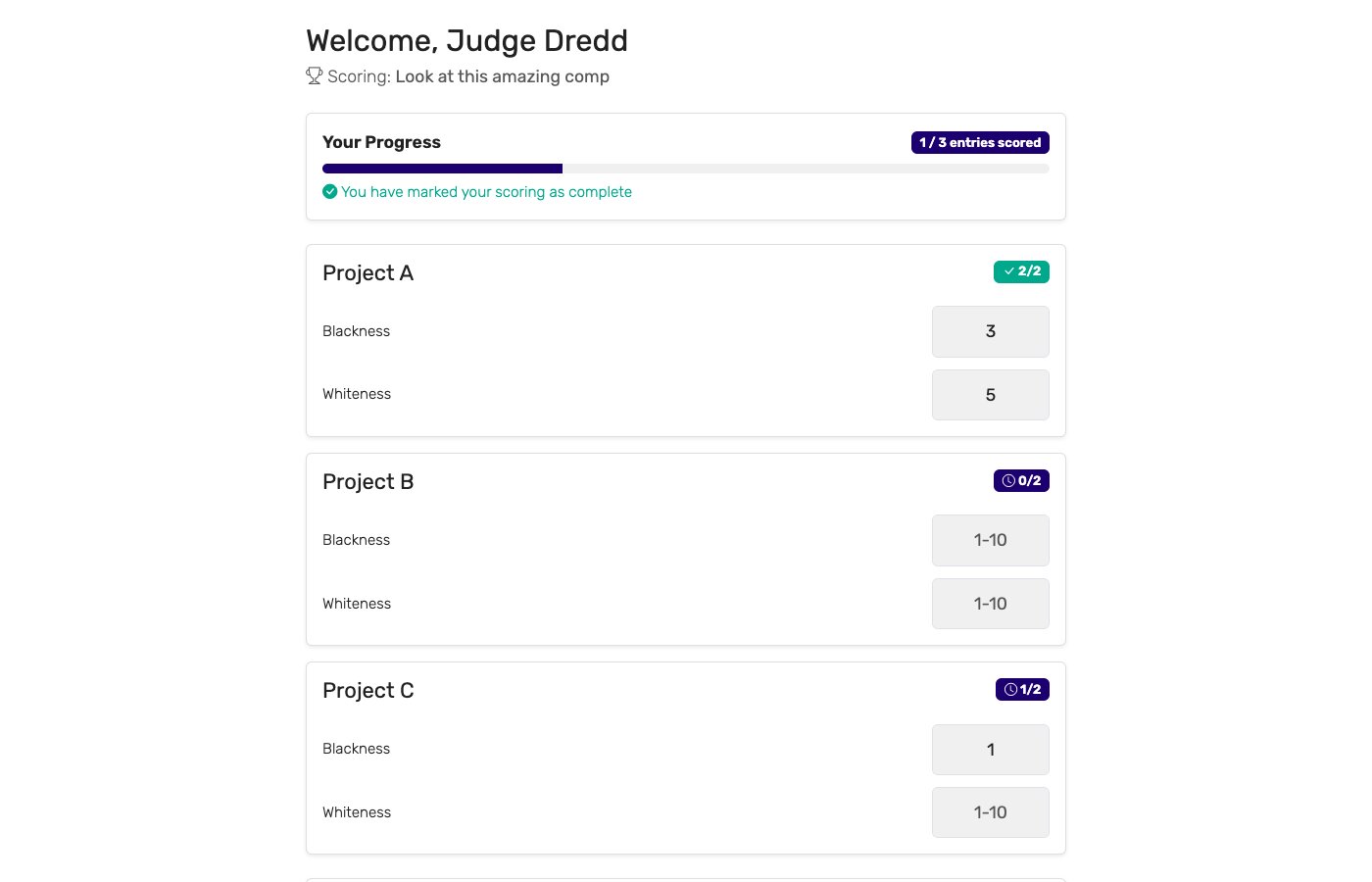
The free plan covers 5 panellists and 10 candidates, which is enough to run a real panel before committing to anything. Paid plans raise both caps for larger committees and full shortlists, and add your own branding.
How to choose an interview scoring tool
If you are comparing options, the questions that separate them for hiring specifically:
- Can panellists see each other's scores? If the answer is yes, independent scoring isn't independent. This is the first thing to check and the one most spreadsheet-shaped tools fail.
- Do interviewers need an account? External panellists, client-side interviewers, and the colleague who interviews twice a year will not set one up. A private link removes the problem.
- Does it work on a phone between sessions? Interviewers score in the five minutes before the next call, not at a desk afterwards. Anything that needs a laptop gets filled in from memory later, which is exactly what a scorecard is meant to prevent.
- Can competencies carry different weight? If technical depth matters more than culture add for this role, the totals should say so.
- Can results stay hidden while the loop runs? A live ranking during an interview loop anchors every candidate after the first.
- Does it export? The hiring file needs the per-panellist breakdown, not just the final number.
- Is it trying to be an ATS? If you already have one, a tool that duplicates pipeline and scheduling is a migration, not an addition. If you don't, a scoring tool won't become one.
For more on running a panel without the arithmetic, see running competitions with multiple judges and how to judge a competition fairly — both written for competitions, both about the same problem.
Run your next panel on a scorecard
Set up your competencies, add the candidates, and send each interviewer a link. Ten minutes, no accounts for panellists, and the combined per-competency result ready the moment the last person submits.
Create your interview scorecard
Frequently asked questions
What is an interview scorecard?
An interview scorecard is a shared form that every interviewer fills in for the same candidate, scoring the same competencies on the same scale. Instead of each panellist arriving at the debrief with an overall impression, everyone arrives with a number against each competency and a note explaining it. That turns the debrief from a discussion about who liked the candidate into a discussion about where the panel actually disagrees.
How do you create an interview scorecard?
Pick four to six competencies the role genuinely needs, write one line describing what evidence looks like for each, choose a scale (1–5 is the usual choice) and define what each number means, then give every panellist the identical form. Write the definitions before the first interview, not after — a scale invented mid-process is not comparable across candidates.
What scale should an interview scorecard use?
A 1–5 scale with written anchors works for most hiring panels: 1 strong no, 2 no, 3 mixed, 4 yes, 5 strong yes, each tied to a description of the evidence. Anchors matter more than the range. An unanchored 1–10 scale mostly measures how generous each interviewer is, because one person's 7 is another person's 9.
Can a whole panel score the same candidate at once?
Yes. In ScoreJudge each panellist opens their own private link and scores the candidate on their phone or laptop. The scoring screen only ever shows a panellist their own scores, never anyone else's, and the organiser sees the combined per-competency result as soon as the submissions come in — which is usually before everyone has walked back to the meeting room.
Is ScoreJudge an applicant tracking system?
No. ScoreJudge does not source candidates, parse CVs, schedule interviews, or email applicants, and it is not a replacement for Greenhouse, Lever, Workable or any other ATS. It covers one part of hiring: the panel scoring on the day. If you run assessment centres, hiring committees, or interview loops where several people score the same candidate against the same rubric, it replaces the shared spreadsheet, not the ATS.
Is an interview scorecard in Excel or Google Sheets good enough?
A spreadsheet is a fine place to draft the rubric and a poor place to collect the scores. Everyone with the link can see everyone else's numbers as they are typed, which is exactly the anchoring effect a scorecard exists to prevent, and someone still has to chase the panellist who never filled their column in. A scoring tool gives each panellist their own view and shows the organiser who is still outstanding.
Is there a free interview scorecard template?
The competency table and anchored 1–5 scale on this page are free to copy into whatever you already use. ScoreJudge also has a free plan if you would rather run the scoring digitally — panellists score from their own devices with no account and no app install, and the combined result is ready the moment the last person submits.