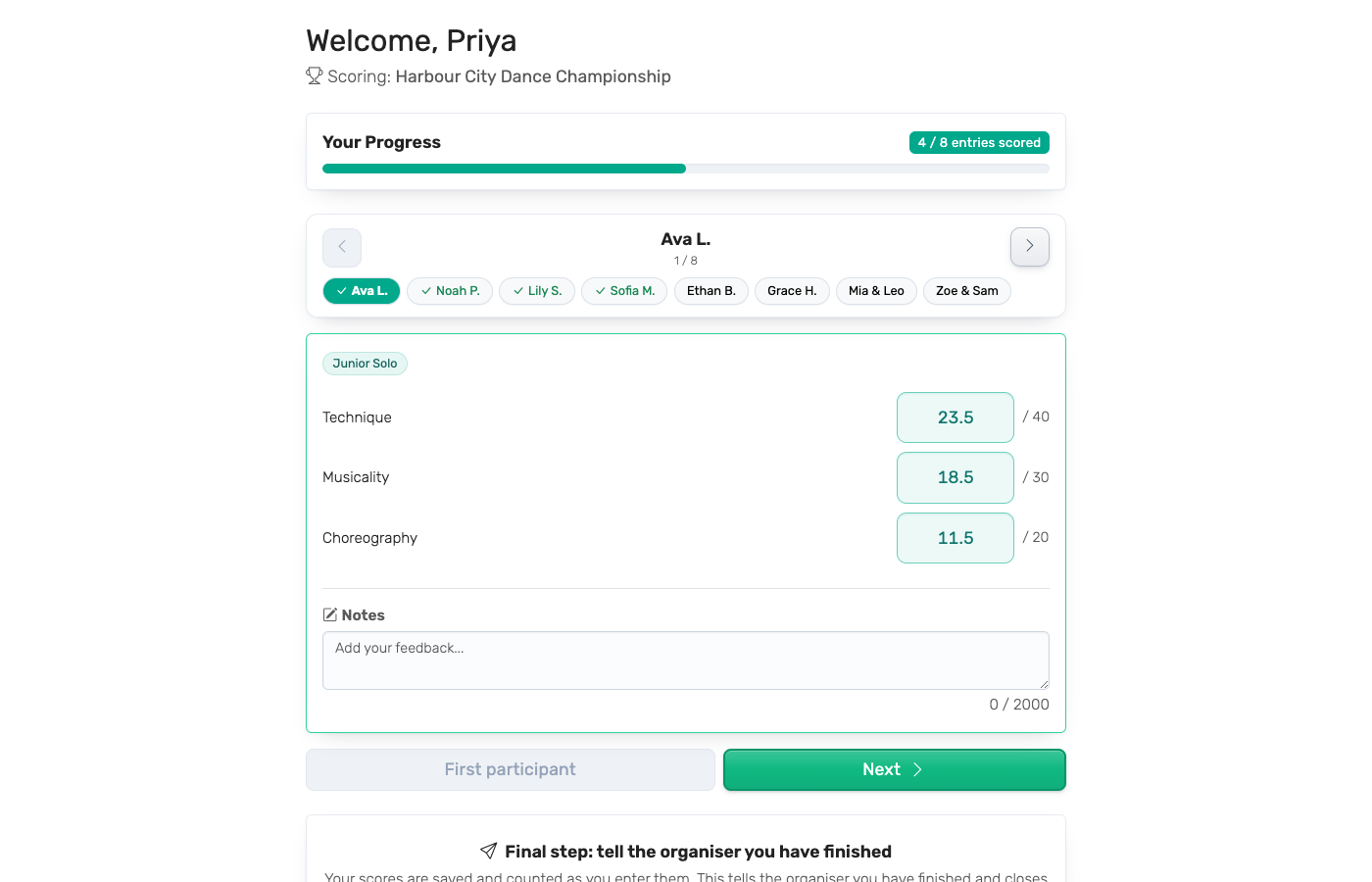
If you are choosing judging software and both ScoreJudge and RocketJudge are on your list, the two products differ less in what they score than in how you buy them and what happens around the scoring. ScoreJudge is a self-serve tool built around a live leaderboard. RocketJudge is a quote-based platform built around the judging panel itself — interviews, deliberation, and formal feedback. This page sets out where they genuinely differ and which one fits your event.
What Is ScoreJudge?
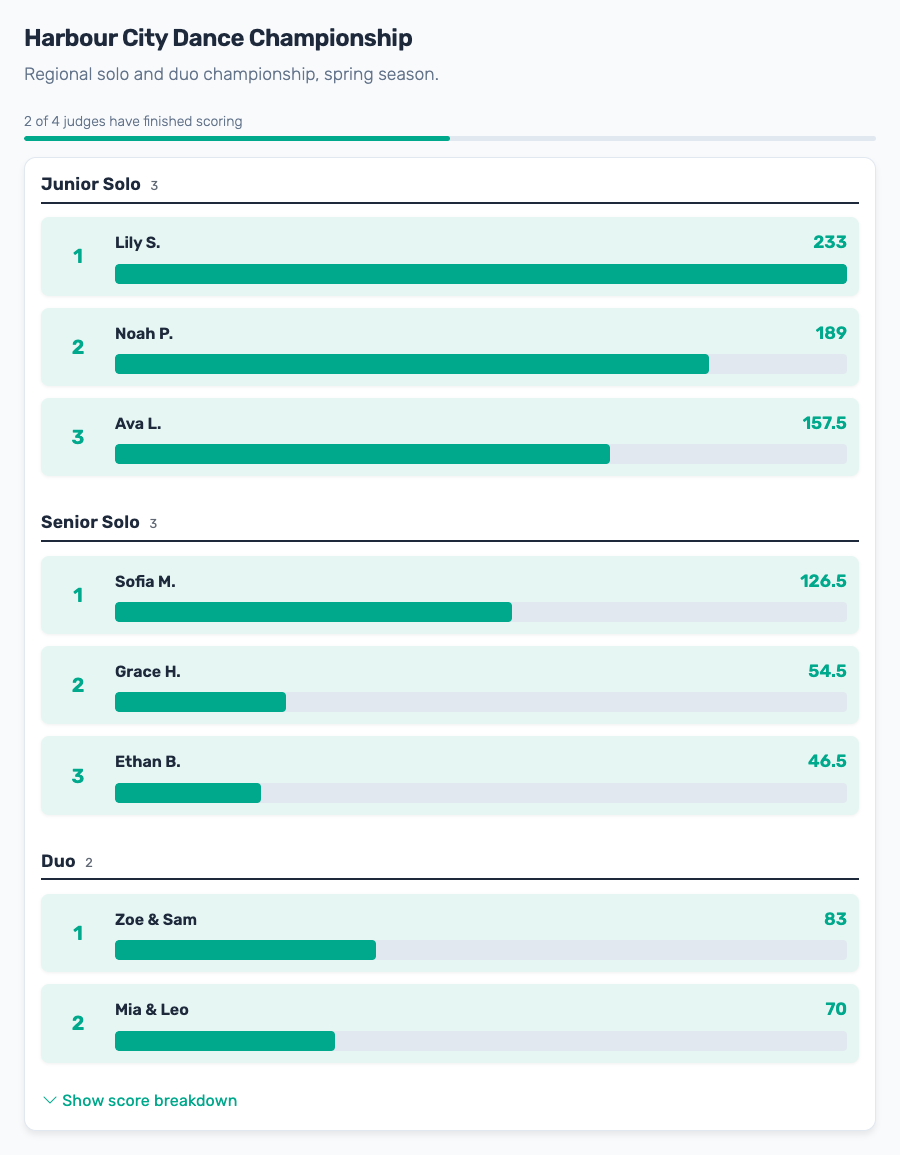
ScoreJudge is a browser-based platform for real-time competition judging. An organizer sets up a competition, defines scoring criteria and weights, adds the entries, and shares a private link with each judge. Judges score from a phone, tablet, or laptop — no account, no app install. The public leaderboard updates in real time as scores come in, so the rankings can be projected on the big screen during the event itself.
Built for:
- Hackathons and pitch competitions
- Talent shows, cook-offs, and community contests
- Dance, cheer, and audition panels
- School and university judging events
Setup takes around five minutes, prices are published, and Pro covers up to 200 competitions on a monthly fee.
What Is RocketJudge?
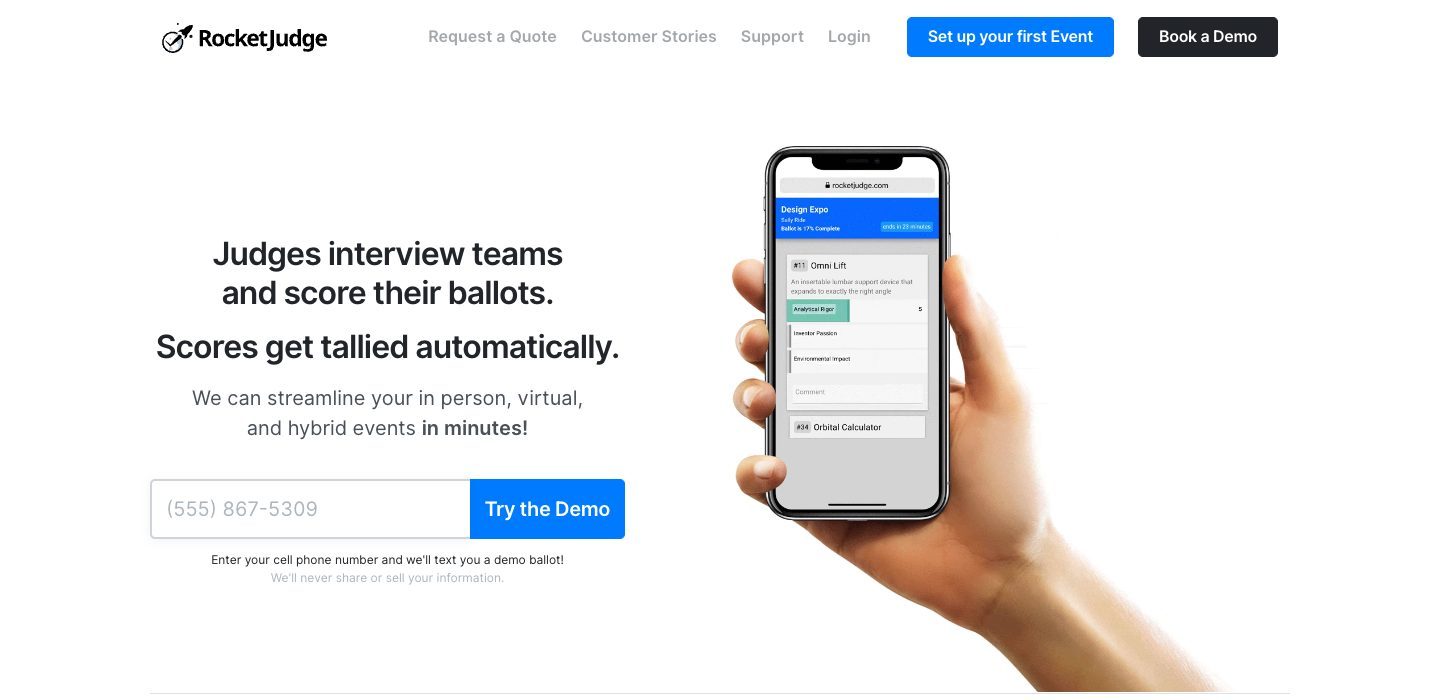
RocketJudge is a mobile judging platform from Populy Voting Systems, based in New York. Judges interview teams and score ballots on their own devices, and scores are tallied automatically so awards can be announced quickly. Around that core it adds the machinery a large, formal judging panel needs: judge check-in and registration, automatic assignment of judges to competitors, dedicated video interview rooms, a deliberation space with screen sharing, collaboration whiteboards, and one-click anonymized feedback reports to competitors afterwards.
Built for:
- University poster sessions and research symposia
- Senior design and capstone expos
- Science fairs
- Professional society meetings and conferences
- Food and beverage competitions, pitch video contests, and application evaluations
RocketJudge is sold per event on a custom quote, with a discounted package for events that run in several parts.
Feature Comparison
How you buy
This is the first real difference and it decides a lot. RocketJudge does not publish prices: its help centre says it "currently exclusively offer[s] custom quotes", based on how many judges and competitors you have and which add-ons you need. Events start free but are capped at 10 participants, and one free "real" competition is permitted per year — past that, the route forward is a quote request or a demo booking.
ScoreJudge publishes its plans. You can see what it costs, sign up, and run a competition the same afternoon. For an institution with a purchase-order process and a named event budget, RocketJudge's model is normal and the quote is part of the service. For a volunteer organizing a talent show next Thursday, it is a wall.
Per event versus unlimited
Each RocketJudge plan covers one event, and a competition spread over multiple parts or days is quoted as a package. ScoreJudge's Pro plan covers up to 200 competitions on a monthly or annual fee, which suits organizers running a season rather than a single flagship event — a dance studio with monthly auditions, a school with a contest every term.
The judging panel
RocketJudge is substantially deeper here, and it is the honest reason to pick it. Judges are assigned to competitors automatically, which matters when you are pairing twenty judges to sixty posters by hand. Each competitor gets a dedicated video interview room. Judges can deliberate in a shared space with screen sharing and take collaborative notes before deciding. Supplementary materials — posters, slides, videos — embed alongside the ballot.
ScoreJudge has none of that. The organizer decides which judges score what, judges score independently, and any deliberation happens in the room. For a panel of four judges at a bake-off that is not a gap; for a research symposium with a formal interview stage, it is.
Live leaderboard versus fast tallying
ScoreJudge is built for the live moment. As each judge submits, the public leaderboard updates, and the point is to project that leaderboard during the event so the audience watches rankings move and the winner is announced the second the last score lands.
RocketJudge tallies automatically too, but the emphasis is on getting to a correct result quickly rather than on an audience-facing board during the event — the customer language is about determining award winners fast, not about a screen the room is watching. If the leaderboard is part of your show, that difference matters.
What competitors get afterwards
RocketJudge sends each competitor their anonymized scores and judge comments in one click. For a science fair or a student symposium, where the feedback is arguably the point, that is a genuine feature.
ScoreJudge exports the full results for the organizer, who then shares them however they like. There is no competitor-facing send today.
Judge experience
ScoreJudge sends each judge a private scoring link — one click and they are scoring, with no password and no app. That suits judges recruited the week of the event who will use the tool exactly once.
RocketJudge has judges register and check in through the platform. That is more steps, but check-in is a real part of running a large expo where you need to know which judges actually turned up.
Setup speed
Worth saying plainly: this is not a differentiator. ScoreJudge is set up in about five minutes, and RocketJudge claims roughly ten, with a record of five minutes thirty-eight. Both are fast. Choose on the points above instead.
Use Case Comparison
Which tool is better for a university design expo or poster session?
RocketJudge. Judge assignment across many entries, video interviews, deliberation, and competitor feedback reports are exactly the workflow these events have, and the institutional buying process fits a quote. ScoreJudge is not trying to be that tool.
Which tool is better for a hackathon or pitch day?
ScoreJudge. The judging is live, the audience is in the room, the budget is usually nothing, and nobody wants to request a quote for a Saturday event. Judges score on their phones as teams pitch and the leaderboard moves on the screen behind them. See pitch competition judging for a walkthrough.
Which tool is better for a science fair?
It depends on scale. A district-wide fair with a large judge roster, interview rounds, and feedback owed to every student is the shape RocketJudge is built for. A single school's fair, run by two teachers who want scores in and winners announced by the end of the afternoon, is well served by ScoreJudge. See judging software for science fairs.
Which tool is better for a talent show, cook-off, or costume contest?
ScoreJudge. These are run by volunteers on no budget, the judging is the entertainment, and a live leaderboard on the screen is half the fun. A quote-based platform is the wrong shape for a Friday-evening event.
Which tool is better for dance auditions or cheer tryouts?
ScoreJudge, particularly for a studio running them repeatedly. Many competitions on one subscription fits a season of auditions better than a quote per event, and judges scoring from a phone with no login matters when your panel is guest choreographers.
Pricing
RocketJudge does not publish prices. Events start free with a 10-participant cap and one free "real" competition per year; beyond that, pricing is by custom quote based on judge and competitor counts, with discounted packages for multi-part events. Its text-in voting add-on is listed at a flat $200 for up to 5,000 texts. Check rocketjudge.com for current details.
ScoreJudge publishes its plans. There is a free plan sized to run a real contest, Plus is from $19/mo and Pro from $39/mo, with one-time and annual options. Pro covers up to 200 competitions — no per-event fee, no onboarding fee. See ScoreJudge pricing for current plans and limits.
The Bottom Line
RocketJudge is the better tool for a formal, institutional judging programme. If your judges interview competitors, deliberate as a panel, and owe every entrant a feedback report — a design expo, a research symposium, a professional society meeting — it has features ScoreJudge simply does not, and the quote-and-onboarding model is a fit for how universities buy.
ScoreJudge is narrower on purpose. It is for the events where the judging is the show: you want to see the price, set up in five minutes, hand judges a link, and put a live leaderboard on the screen. For hackathons, pitch days, talent shows, auditions, and school competitions, that focus is the product — and publishing the price means you can decide today instead of waiting on a quote.
Feature Comparison
| Feature | ScoreJudge | RocketJudge |
|---|---|---|
| What it is | Browser-based real-time competition judging software for live events. | Mobile judging platform for in-person, virtual, and hybrid events, sold per event. |
| Who is it for | Hackathons, pitch competitions, talent shows, dance and cheer auditions, cook-offs, school events. | Universities and professional societies — poster sessions, senior design and capstone expos, science fairs, research symposia. |
| Core capability | Judges score on their phones during the event; the leaderboard updates in real time on the big screen. | Judges interview teams and score ballots; scores are tallied automatically for a fast award announcement. |
| Published pricing | Yes — plans and prices are on the pricing page. | No — quote only. RocketJudge states it "currently exclusively offer[s] custom quotes". |
| Paid pricing | From $19/mo (Plus) and $39/mo (Pro), with one-time and annual options. No onboarding fee. | Custom quote per event, priced on judge and competitor counts plus add-ons. Multi-part events quoted as a discounted package. |
| Per-event pricing | No — Pro covers up to 200 competitions. | Yes — each plan covers one event; multi-part events are quoted as a package. |
| Free tier | Yes — enough judges, entries, and competitions to run a real event, with no annual cap. | Yes — capped at 10 participants, plus one free 'real' competition per year. |
| Buy without talking to sales | Yes — sign up and run a competition the same day. | No — a quote request or demo booking comes first. |
| Setup time | Around 5 minutes — add entries, add criteria, share judge links. | Comparable. RocketJudge claims roughly 10 minutes, with a record of 5 minutes 38 seconds. |
| Judges need an account | No — each judge gets a private scoring link. | Yes — judges register and check in through the platform. |
| Live leaderboard during event | Yes — updates in real time as judges submit, designed for a venue screen. | Not advertised. The emphasis is automatic tallying and announcing awards quickly. |
| Automatic judge assignment | No — the organizer decides which judges score what. | Yes — judges are matched to competitors automatically. |
| Judge deliberation and screen sharing | ✗ | Yes — judges discuss candidates in a shared space. |
| Video interview rooms per competitor | ✗ | Yes — each competitor gets a dedicated room, invites sent by email. |
| Feedback reports sent to competitors | No — the organizer exports results and shares them. | Yes — one click sends anonymized scores and comments. |
| Competitor registration forms | No — the organizer adds entries directly. | Yes — judge and competitor registration is available as an add-on. |
| Embedded posters, documents, and videos | ✗ | Yes — supplementary materials attach to each competitor. |
| Custom scoring rubric with per-criterion points | ✓ | ✓ |
| Private judge notes per entry | ✓ | ✓ |
| Public / audience voting | ✓ | Yes — including a text-in voting add-on. |
| CSV export of all scores | ✓ | ✓ |
| Phone support | No — email support. | Yes — on larger packages, or as an add-on. |
| Works on any device, no app install | ✓ | ✓ |
Which One Should You Choose?
Choose RocketJudge if...
- You are running a university poster session, capstone expo, science fair, or research symposium
- Judges need to interview competitors on video and deliberate together before deciding
- You have dozens of judges and dozens of entries and want the pairing worked out for you
- Competitors should receive a formal anonymized feedback report after the event
- You need competitors to submit posters, slides, or videos that judges review in the ballot
- A quote-based purchase order and phone support suit how your institution buys software
Choose ScoreJudge if...
- You want to see the price, sign up, and run a competition today without a sales call
- The judging happens live and you want a leaderboard on the big screen during the event
- You run several events a year and do not want to be quoted for each one
- Judges should score from a phone without registering or installing anything
- You are organizing a hackathon, pitch day, talent show, audition, cook-off, or school competition
- Your budget is a monthly subscription rather than a per-event purchase order
Frequently Asked Questions
"How much does RocketJudge cost?"
RocketJudge does not publish prices. Its help centre states that it "currently exclusively offer[s] custom quotes", priced on how many judges and competitors you have plus any add-ons. Multi-part events can be quoted as a discounted package. Events start free but are capped at 10 participants, and RocketJudge permits one free 'real' competition per year. Its text-in voting add-on is listed at a flat $200 for up to 5,000 texts. See rocketjudge.com for current details.
"How much does ScoreJudge cost?"
ScoreJudge publishes its prices. There is a free plan that runs a real competition, Plus is from $19/mo and Pro from $39/mo, with one-time and annual options. Pro covers up to 200 competitions — there is no per-event fee and no onboarding fee. See scorejudge.com/pricing/ for current plans.
"Is ScoreJudge a good replacement for RocketJudge?"
It depends on the event. If judges need to interview competitors on video, deliberate as a panel, and send formal feedback reports afterwards — the shape of a university design expo or a professional society meeting — RocketJudge is purpose-built for that and ScoreJudge is not. If the judging is the live event and you want a real-time leaderboard on the screen without a sales call, ScoreJudge is usually the better fit.
"Does RocketJudge assign judges to competitors automatically?"
Yes — automatic judge assignment is one of its standard features, which matters when you have many judges and many entries to pair up. ScoreJudge does not allocate judges automatically; the organizer decides which judges score what.
"Can competitors receive their scores and feedback afterwards?"
RocketJudge sends anonymized scores and comments to competitors in one click. ScoreJudge does not email competitors — the organizer exports the full results and shares them however they choose.
"Do judges need to create an account?"
On ScoreJudge, no — each judge gets a private scoring link, so one click and they start scoring. RocketJudge has judges register and check in through the platform, which fits events where judge check-in is part of running the day.
"Which tool has a live leaderboard for the audience?"
ScoreJudge. Its public leaderboard updates the moment a judge submits a score and is designed to be projected on a venue screen or live stream. RocketJudge emphasizes automatic tallying so organizers can announce awards quickly, rather than an audience-facing leaderboard during the event.
"Can I try either tool before paying?"
Both have a free tier. RocketJudge caps free events at 10 participants and allows one free 'real' competition per year, so beyond that you request a quote. ScoreJudge's free plan is sized to run a real competition and has no annual cap on how many you run.
Try ScoreJudge Today
See the price, sign up, and run a competition in under five minutes. No quote request, no demo call, no per-event fee.
Information about RocketJudge was accurate as of October 2026. Visit https://rocketjudge.com for latest details.