Competition Settings: Scale, Combining Scores, Notes and More
Every option in the editor's Settings card — what it does, which voting modes have it, and what locks once scoring has begun.
The setup wizard only asks for what a judge's scoring sheet is made of: the criteria and the score scale. Everything else lives in the Settings card of the editor, where you can change it before and during the event.
To get there, open your competition's dashboard and click Edit Competition, then scroll down to Settings. Straight after creating a competition, the wizard's review step links there too.
Which Settings Each Mode Has
| Setting | Panel Judging | Audience Scoring | Audience Ranking / Favorite |
|---|---|---|---|
| Score scale | ✓ | ✓ | — |
| Combining scores (Sum / Average) | ✓ | ✓ | — |
| Per-criterion maximums | ✓ | — | — |
| Judge notes | ✓ | — | — |
| Drop Score | ✓ | — | — |
| Let voters skip entries | — | ✓ | — |
Ranking and Favorite competitions have no Settings card: voters order or pick entries, so there is no scale or criteria to configure. The voting mode itself is chosen when you create the competition and can't be changed — see Voting Modes.
Score Scale
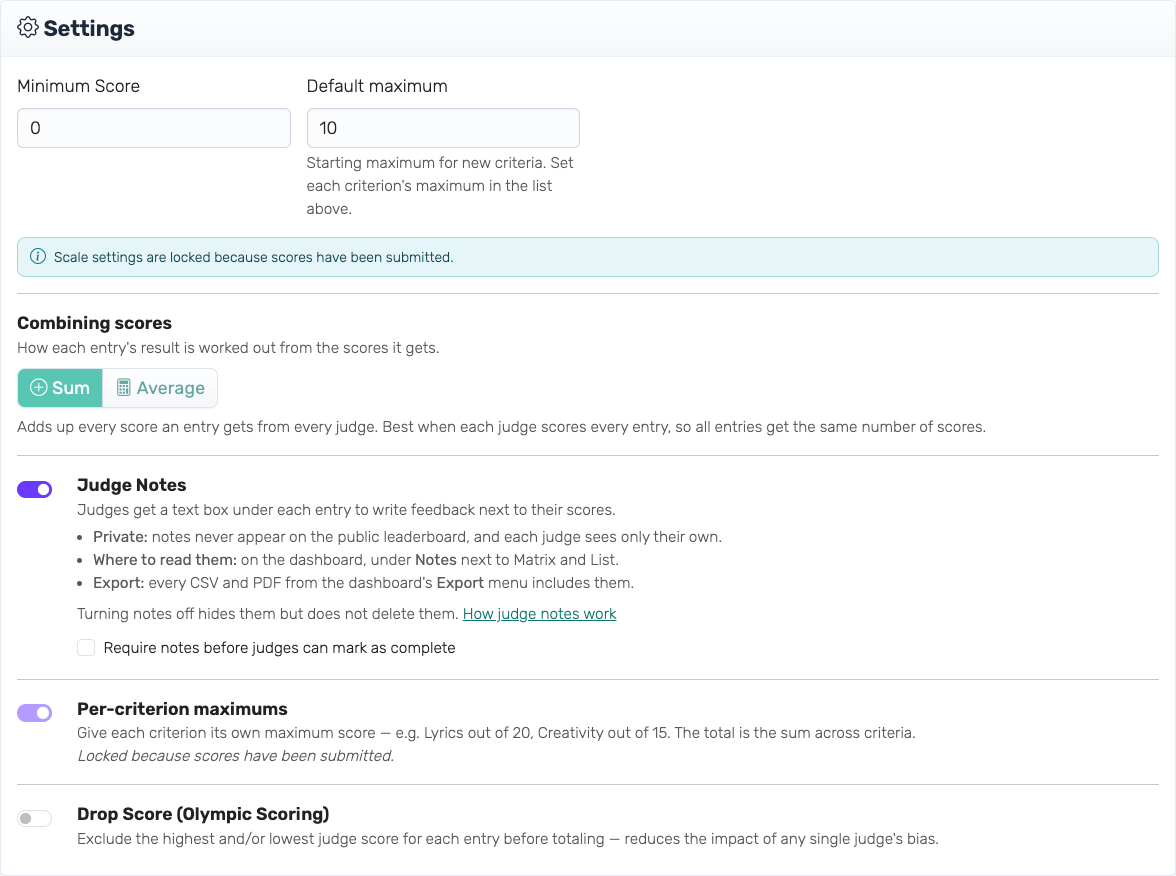
The minimum and maximum score anyone can give, for example 1–10 or 0–100. Judges and voters see the range next to every score field and can't save a number outside it.
With per-criterion maximums on, the maximum field becomes a default maximum for new criteria, and each criterion's own maximum is set in the Scoring Criteria list above the Settings card.
Combining Scores
How each entry's result is worked out from the scores it gets.
- Sum adds up every score an entry gets from every judge. Best when each judge scores every entry, so all entries get the same number of scores.
- Average divides an entry's total by the number of judges who scored it. Fair when entries get different numbers of scores — for example when a judge misses one, or when judges are assigned to categories.
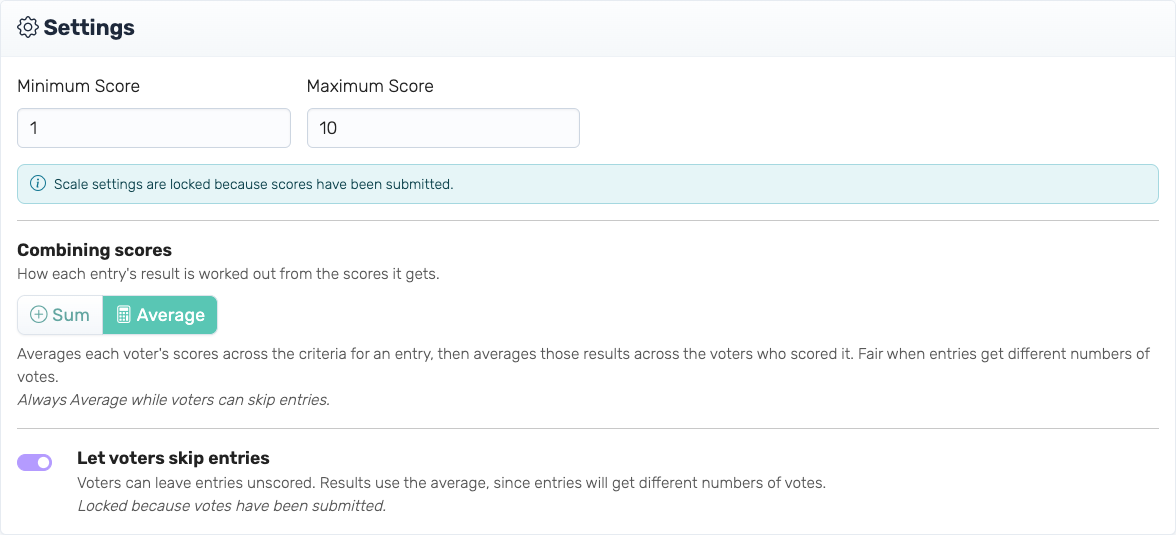
In Audience Scoring, Average works per voter: each voter's scores across the criteria are averaged first, then those results are averaged across the voters who scored the entry. That keeps an entry with 12 votes comparable to one with 140.
New competitions start on Sum. While voters can skip entries, it is always Average.
Per-Criterion Maximums
Panel Judging only.
Give each criterion its own maximum, so some count more than others — for example Technique out of 40 and Choreography out of 20. The entry's total is the sum across criteria. Turn it on in Settings, or with Set a maximum per criterion under the scale in the wizard, then set each maximum in the Scoring Criteria list.
Judge Notes
Panel Judging only.
Judges get a text box under each entry to write feedback next to their scores. Notes are private: they never appear on the public leaderboard, and each judge sees only their own. You read them on the dashboard under Notes, and every export includes them.
Tick Require notes before judges can mark as complete if every scored entry needs written feedback. Turning notes off hides them but doesn't delete them. Full guide: Judge Notes.
Drop Score
Panel Judging only.
Excludes each entry's highest and/or lowest judge score before totalling, like Olympic scoring, to reduce the impact of a single generous or harsh judge. It needs at least one score left over after dropping, so an entry needs drop-highest + drop-lowest + 1 judges for it to take effect: three with the default of dropping one of each. Full guide: Drop Score.
Let Voters Skip Entries
Audience Scoring only.
Voters can leave entries unscored instead of having to score every one. An entry a voter does score still needs every criterion. Because entries then get different numbers of votes, results always use Average.
More on audience competitions: Audience Voting Guide.
What Locks Once Scoring Has Begun
Some settings change what every score means, so they lock as soon as the first score or vote comes in. Others can change right up to the end.
| Setting | Locks with the first score or vote | Can change until you finalize |
|---|---|---|
| Score scale | ✓ | |
| Combining scores | ✓ | |
| Per-criterion maximums (on/off and each maximum) | ✓ | |
| Let voters skip entries | ✓ | |
| Judge notes and "require notes" | ✓ | |
| Drop Score | ✓ |
The card says "Scale settings are locked because scores have been submitted" once the first group locks. If you need to change one of them for a competition that only has test scores, delete those first: on the dashboard, the eraser button next to a judge removes all of that judge's scores. Once no scores are left, the settings unlock again. Audience votes can't be deleted, so get audience settings right before you share the voting link.
When you finalize the competition, everything locks for good.
Settings That Live Elsewhere
- Visibility of the public leaderboard (Live scores, Hidden, Entries only) and its appearance are on the dashboard, in the Public View card — see Admin Dashboard.
- Categories and judge assignments are set on the entries, judges and criteria in the editor — see Categories & Judge Assignments.