Technical Requirements
Score Judge works on any modern device with a browser. No installation required. Judges score from phones, tablets, or laptops over Wi-Fi or mobile data.
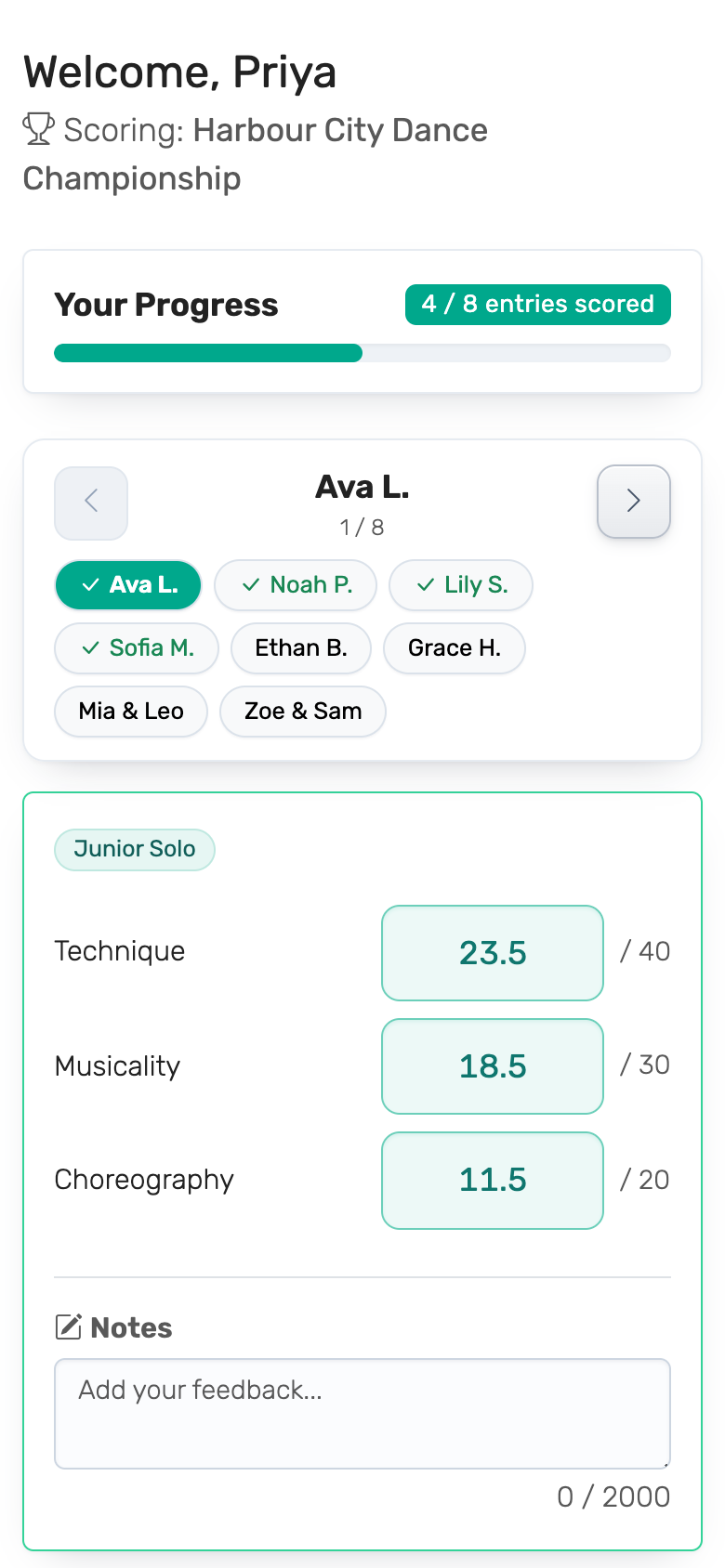
Score Judge works on any modern device with a web browser. No installation required!
For Judges
- Browser: Any modern web browser (Chrome, Firefox, Safari, Edge)
- Device: Smartphone, tablet, laptop, or desktop computer
- Internet: Active internet connection
- No Login Required: Judges access their scoring panel via a secure link
What judges see, step by step: Scoring as a Judge.
For Audience Voters
- Device: Their own phone — any modern mobile browser. No app and no account
- Getting in: Scan the QR code or open the voting link
- One ballot per device: See One Ballot per Device
For Organizers
- Account: Free account to create and manage competitions
- Browser: Any modern web browser
- Internet: Active internet connection for setup and monitoring
For Audience Display
- Browser: Any modern web browser
- Display: TV, projector, or any screen with web browser access
- Internet: Active internet connection for live updates
- Optional: Can be embedded in live streams (OBS, vMix, etc.)
Setting up the screen: Public Leaderboard → On the Big Screen.
Venue Wi-Fi and Connection Drops
- Shared Wi-Fi is fine. A whole room of voters or judges can use the same venue or school network. Audience voting allows many phones behind one internet address.
- Short dropouts are handled for you. If a judge's connection drops, their page says "Connection issue detected" and keeps trying for a few seconds. If the connection is back by then, the scores save on their own. After a longer dropout, any score that didn't save is outlined in red: once the connection is back, the judge enters it again. Judges should keep the page open rather than reload it, because a reload loses scores that haven't saved yet.
- The display keeps itself up to date. The public leaderboard checks for new scores every few seconds; after a dropout it catches up on its own.
- Have a backup. A phone hotspot for the display laptop covers a venue network that goes down.
Supported Browsers
- Google Chrome (recommended)
- Mozilla Firefox
- Safari (macOS and iOS)
- Microsoft Edge
- Opera
Mobile Support
Score Judge is fully mobile-responsive and works great on: - iOS devices (iPhone, iPad) - Android devices (phones and tablets) - Any device with a modern mobile browser
Accessibility
We build Score Judge to work with: - Screen readers - Keyboard navigation - High contrast modes - Text scaling
For questions about technical requirements, contact us at [email protected].